



Game: Omega Crafter (Early Access)
Genre: Adventure, Farming Sim
System: Steam (Windows and macOS)
Developers | Publishers: Preferred Networks
Controller: Yes
Price: US $24.99 | UK £20.99 | EU € 24,50
Release Date: March 28th, 2024
The review code was used, with many thanks to Stride PR.
Omega Crafter is an upcoming survival automaton game in Early Access development. It is expected to be published by Preferred Networks and released in Early Access at the end of March.
Premise
Omega Crafter is set in a vast world being attacked by a mysterious program, a bug. Following the coding theme, on our adventure, we are accompanied by a programmable sidekick, Grammi.

The Gameplay of Omega Crafter
In Omega Crafter, we craft and explore in a vast, open world. Our programmable sidekick, Grammi, is with us. Grammi can be directed to do a variety of tasks, such as collecting resources, helping build, crafting weapons and armor, and assisting us in combat and exploration. We can also summon other Grammis to do specific tasks, such as crafting arrows.
We begin the game by crafting our character; we can choose to play as a boy or a girl, choose hair type and color, and names for our protagonist and Grammi companion. Then, we name our world and choose the difficulty setting—from very easy to very hard and everything in between. We also choose whether we are playing solo or with friends. Since I am reviewing the game before it releases, I am playing solo and have yet to test the co-op/multiplayer feature.

We are dropped in the middle of a forest and greeted by Shannon, who tells us our mission—to help her create this world while defeating the bug monsters interfering with its development. We are immediately introduced to the map, where a red dot marks the first bug monster we must defeat. But to do that, we’ll need some things, like an axe, so we can collect wood to build things.
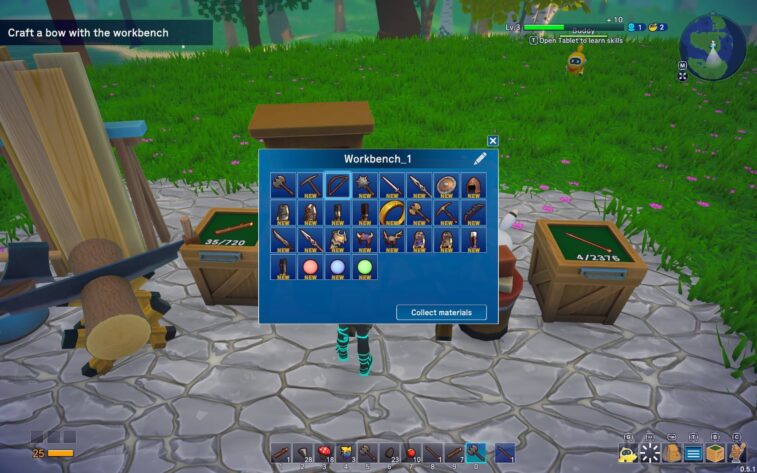
We go to the Build menu and choose to create a craft table. Then, we need to choose what we are making from the available recipes, upload the required resources into the craft table, and then craft the axe and collect it. Honestly, it was a tad too many steps for me- why can’t you choose the recipe, craft if you have enough resources, and collect automatically? But anyway, we’ve crafted the axe.
Collect Resources

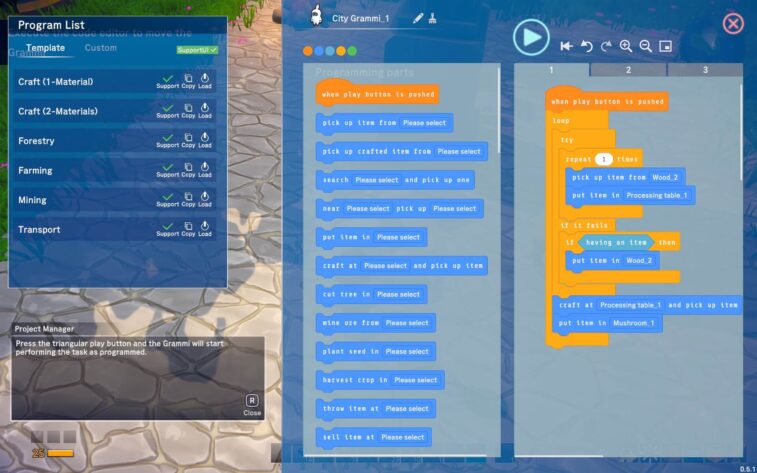
Then, off we go into the woods to collect wood and stones for further building and crafting. We can also program Grammi to collect everything collectable for us. The programming looks like stacking blocks, close enough to programming, or at least to Scratch. Even the blue color of the blocks looks similar to the motion blocks in Scratch. It can be a fun way to teach about programming, and Grammi can be helpful. For example, it’s a bit faster when chopping up a tree than our little character.
The drawback of Grammi collecting for us is that it has a relatively short leash; it can only operate when it’s close to us, and then it has to bring us what it has collected. It doesn’t carry any of the weight, and you cannot send it into the woods to look for stones by itself while you wait in the camp.
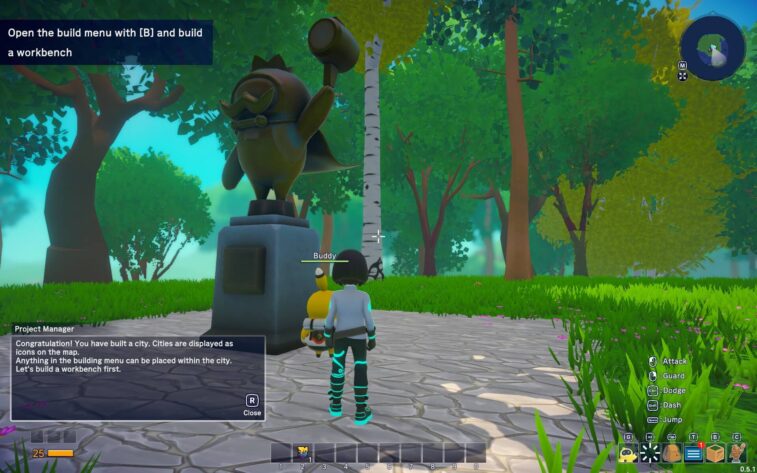
Speaking of camp, Omega Crafter calls it a city. Everything we build in the city can be dismantled and moved to a different spot. Once again, we start by opening the build menu and then building. In the build menu, we see all the buildings we can build now, divided into categories like core, craft, terrain, storage, structures, and so on.
Let’s Build
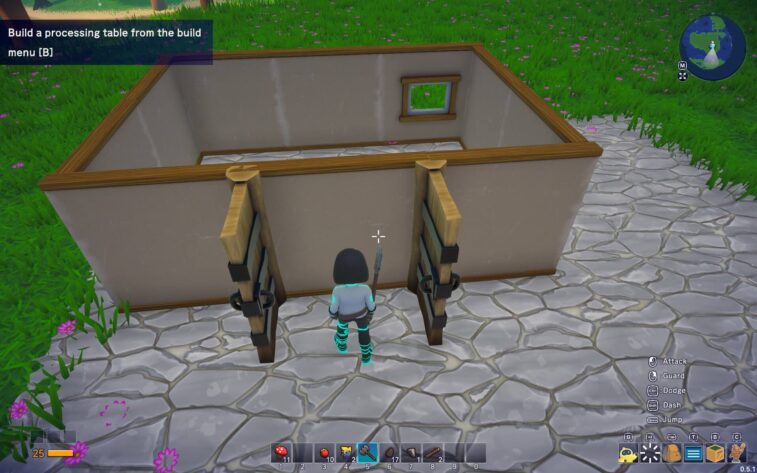
Rather than having ready-made structures to build like houses and so on, in Omega Crafter, we create the buildings in The Sims-like style by building walls, doors, roofs, and so on. On the one hand, once you get used to the mechanics, it allows greater freedom in the building.
On the other hand, building a simple house was quite a struggle for players less experienced in construction, such as me. I spent an embarrassingly long time trying to align the walls since they do not snap together automatically. Also, once you build a wall, you don’t attach the door to it. Instead, a door is placed instead of a wall. And I admit, I gave up on the roof. I couldn’t get it to cover the entire house. I’m not too fond of roofs.
Weird Storage
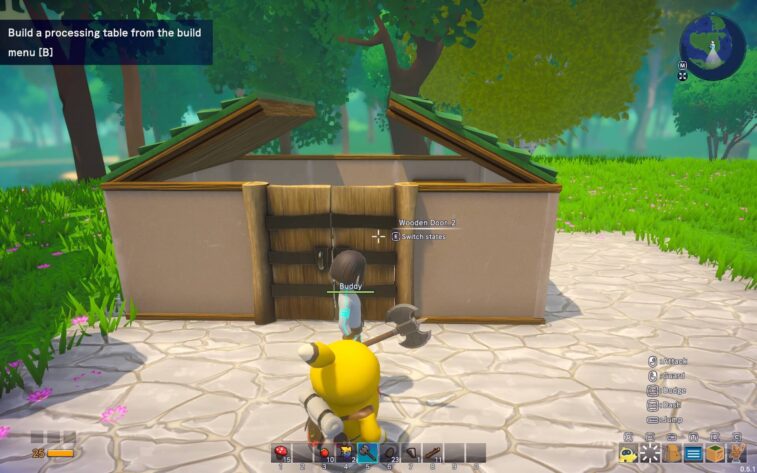
While building and crafting, we can also create additional Grammis to carry out tasks in the city. We must be careful about positioning stuff in the town since the Grammis can get stuck. If that happens, you must dismantle the stuck Grammi and reassemble it elsewhere. I tried the Grammis by creating one and ordering it to produce arrows.
The programming is done the same way as the main Grammi. You also need to build storage boxes – at least two. The mini Grammi takes resources, wood in this case, from one box, crafts the arrows, and then deposits them in the second box. That’s how I realized that one box can only store things of one kind. That’s not a very practical storage solution.
Once I saved several stuck Grammis, I decided to explore the map. Now, the premise for the game states several times that we are in an underdeveloped game world, so we have forests with stones on the ground to collect, mushrooms, and some fruits to harvest. We also have some structures – black towers full of enemies like wild wolves and demented mushrooms and mysterious machinery, which we cannot use at this point.
The game tells you to craft a bow and arrows for fighting, but I’ll be honest- the axe worked better for me. Still, later on the map, I found a puzzle that required a bow and arrows. So, definitely follow the instructions with this one.
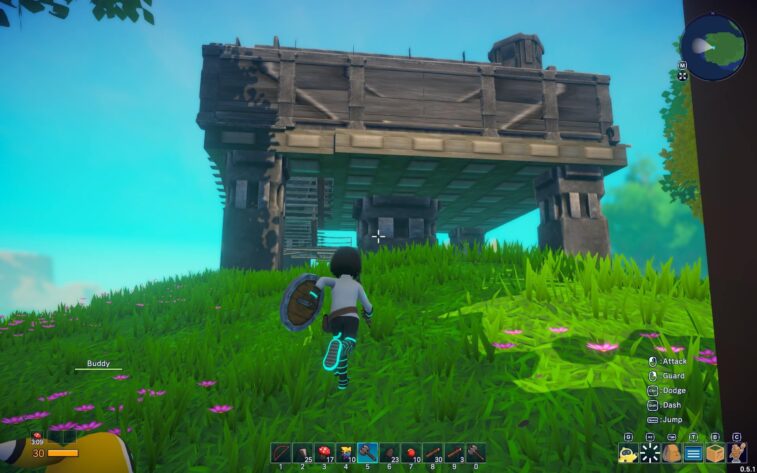
When I got to the red dot on the map, the first bug monster, I realized it was more complex than trying to defend it. First, I need to summon it; to do that, I need two unique ingredients from nearby. Omega Crafter was helpful enough to tell me to look for black towers and that their defenders might drop beneficial objects. It felt like, once again, extra complicating something that should be relatively straightforward. This monster I’ll be summoning is supposed to be attacking this world. Why do I need to summon it, too?
That is my main gripe with Omega Crafter—it has good bones as a game, but at present, it feels like you have to take a lot of unnecessary steps to do one thing.
Other Notes on Omega Crafter
Omega Crafter has, as mentioned above, plenty of difficulty settings, from very easy to very hard. There is a passage of time in the game, but we do not need to sleep through the night. In terms of stamina, health and damage, at least at easy difficulty, if you lose some health, you need to just stop what you are doing, and it fills back up. In combat, it means avoiding enemies, which is why the health bar fills up. If you are swimming through a river and you run out of health, you still have some time, while you take damage, to get to the river bank. Once you are on dry land, the health bar fills up again. Consuming food gives you more stamina/ health, but the effect is temporary.
Omega Crafter has no trading cards on Steam, but it does have some Steam achievements. The game allows for remapping the controls, essential graphics and audio controls, and the ability to change the mouse’s sensitivity. Omega Crafter will be released in Early Access, and it seems the developers have a plan for the future.
Conclusion
Omega Crafter offers some exciting ideas for the genre. I liked the implementation of programming in the game, the idea of dismantling and moving the camp around, and the Grammis, but it could be smoother sailing. Programming should make your life easier, not make everything more complicated. Last year’s Mineko’s Night Market allowed our furry sidekick to look for resources by itself, so why not do the same here? It feels especially unnecessary to program the Grammi to collect stones only to have it pick them up and bring them to us at a close distance. Perhaps some of these points will be addressed going forward.
Despite my misgivings, Omega Crafter deserves a chance, especially for playing with friends. I’ll also return to the world of Omega Crafter sometime again.
Final Verdict: I Like It