


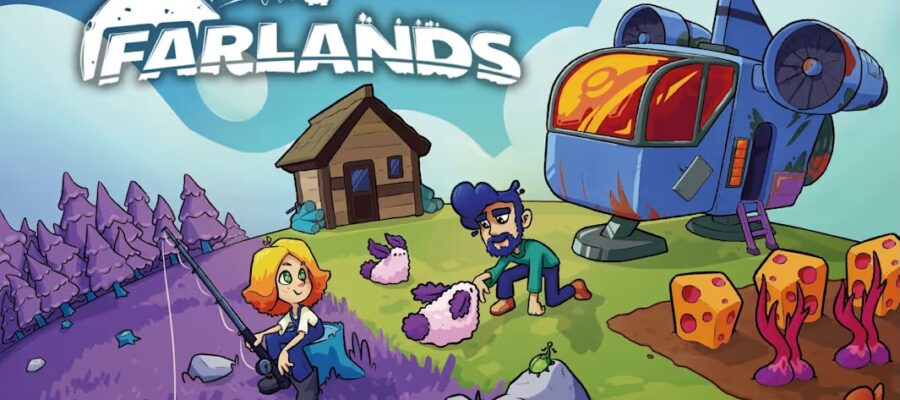
Game: Farlands
Genre: Adventure, Simulation, Other, Lifestyle
System: Nintendo Switch (Also on Steam (Windows), Xbox One/X/S and PS4/5)
Developer | Publisher: JanduSoft and L&V Media Group | JanduSoft
Age Rating: US Everyone | EU 3
Price: US $17.99 | UK £15.99 | EU € 17,99
Release Date: July 16th, 2026
Review code used, with many thanks to Press Engine.
Farming in outer space is not a new concept for a game, so let’s see whether Farlands will break any frontiers and fill a void, or will it collapse into a black hole?
A Barren Rock to Call Home
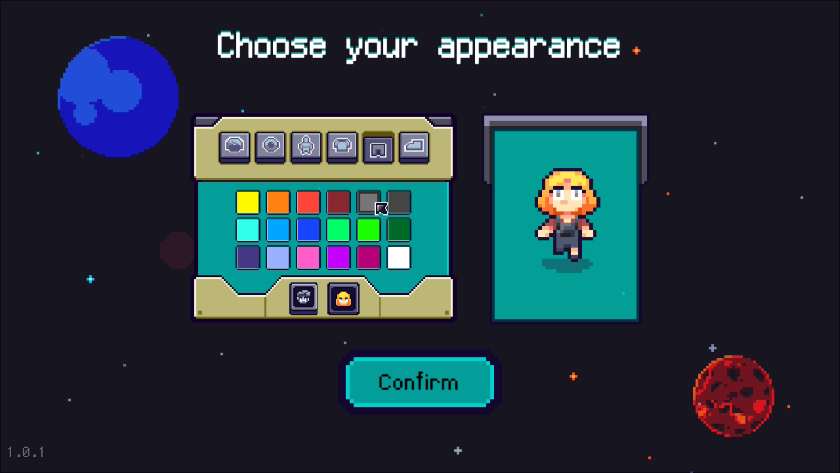
Before you can launch into your Farlands farming adventure, you customise your character. You select the colour of your hair, eyes, skin, top, workwear and shoes, with the choice of a stylised male or female avatar. There are 18 colours, which are not the same for each component, and the layout could do with a little finesse and order. Some players will find this lack of options a disappointing start to Farlands.
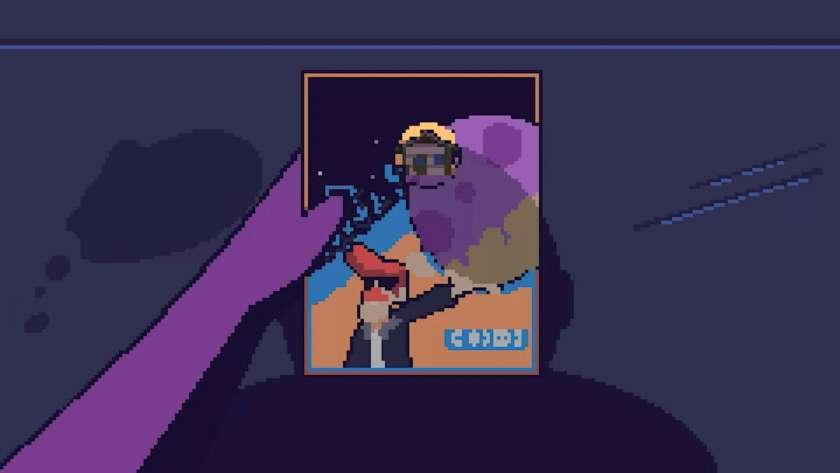
Farlands gets underway with a cutscene. A leaflet advertising a whole planet for sale lands outside your dreary city house. It seems just too good to be true! Regardless, you hastily board your spaceship and head there. You’re met by the real estate agent, who explains that there is so much potential that it’s an absolute bargain. Eager to close the deal, you sign on the dotted line and name your planet.
Inside your run-down house, you find a toolkit, some seeds and 200 credits, as well as a bed. You also have access to a droid once you repair it. It’s a great first task and introduces you to the basics of gathering stone, wood, and grass, in addition to learning how to use the crafting machine. The droid’s main job is acting as chief navigator, helping you explore all the planets, and it will drag you to safety if you collapse from exhaustion.
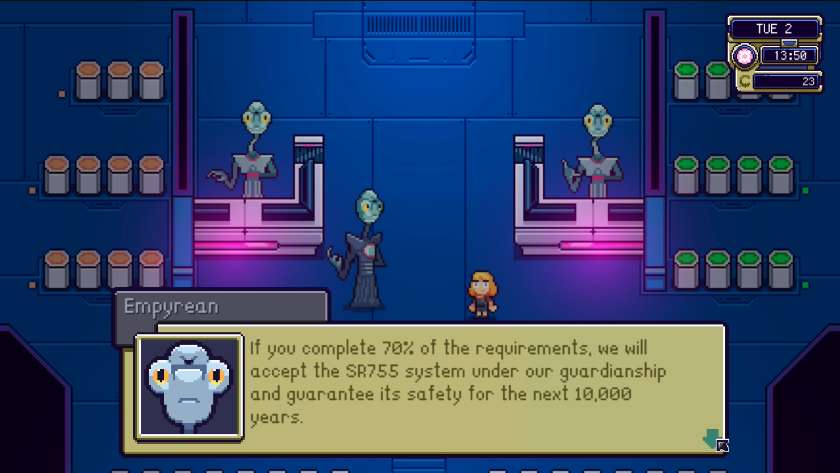
The main story starts when you fly to Terbin for the first time. You overhear a conversation between Gorman, head of the interstellar company GorCorp, and Oola, mayor of the Terbin settlement. The power-hungry CEO wants the whole planetary system, so he can destroy each planet for its resources. After Gorman leaves, Oola explains that the only option is to get protection from the Empyrean, and they will consider the request once their Ark is full of flora and fauna specimens, resources, and artefacts from across the various planets.
Let the collecting begin!
Exploring the Planets
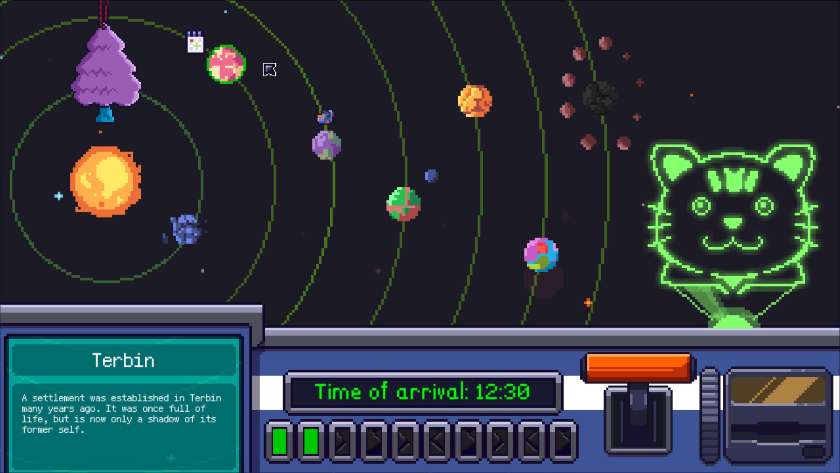
In order to collect the specimens needed for the Ark, you must explore all the planets in Farlands. Space travel is governed by the amount of fuel needed and the time it takes to travel the distance. The in-game time is always based on your home planet, and even though your character wakes at 6 am, getting to some of the furthest planets before 2 am can be a struggle. To start with, travelling to Terbin, Galea or Bohr (the three closest locations) takes 5 hours and requires one fuel cell. The fuel cells can be replenished with nearly any item, and I found coal to be the most efficient until I acquired the fuel cell recipe.
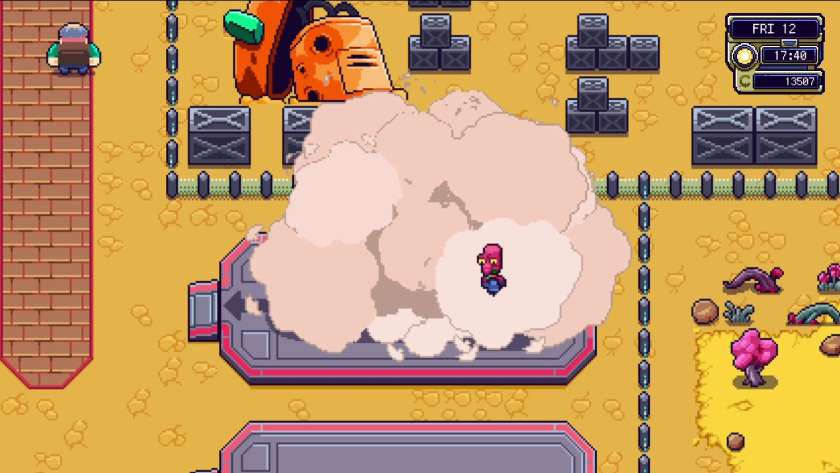
Luckily, the mechanic on Terbin can upgrade your ship with extra fuel cell capacity, as well as improve the engine’s performance. However, these upgrades are not free – you’ll need lots of resources and credits! I love the challenge of working out the best upgrade path, and the first couple of upgrades for both spaceship and tools were not too difficult to achieve. The furthest planet in the system, Darmstad, needs a special upgrade due to the lack of oxygen on the planet. One small negative is that some of the resources have similar icons, and occasionally, it was a little tricky to work out what was needed.
There are some great animations associated with all of the upgrades, from the blacksmith eating the tool and materials before spitting out the shiny new one, to demolishing your house before rebuilding it. Each main upgrade on the spaceship gives it a new look.
Your character can receive extra stamina by collecting small sprite-like robeets that the Empyrean have assigned to appear for completing tasks, like clearing your first branch, harvesting 100 crops, or thoroughly exploring a planet.
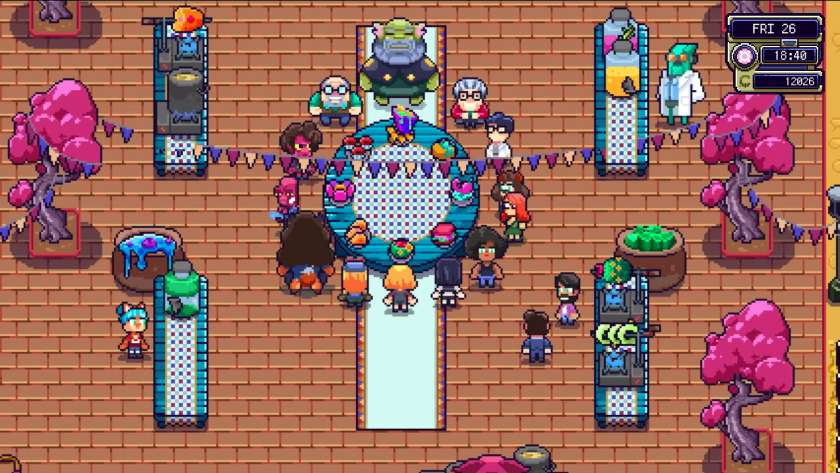
If you need a break from blasting around the galaxy, then there are nine festivals to attend, three each season. The events happen within the normal in-game hours, with the opportunity to talk to groups of people before or after the main cutscene. The festivals provide more background and help to bring to life the Farlands universe. It’s also a great opportunity to find out more about one of the eight romanceable characters. Apart from being trapped in my house due to a storm on one of the festival days, I enjoyed finding out more about the lore of Farlands
Farming, Fishing, Mining and Collecting
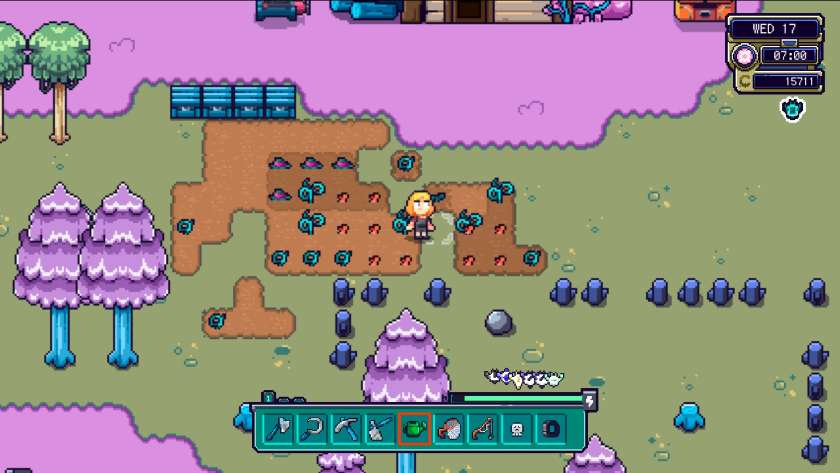
Farming in Farlands is similar to other farming games: hoe, plant, water. Crops take two, three or four days to grow, with the details on the seed packet, and some crops give multiple harvests. There are three seasons, each with 28 days, and crops must be planted in their correct season. Farming is a great source of income, as well as all the upgrades, you need 26,000 credits just to unlock all the sections on the Ark.
As well as arable farming, you can purchase barn capsules from Bonnie on Galea, so you can raise cottonbunnies, squickens and bearded snails. Talking to Nori and Amadeus on Terbin rewards you with a fishing rod and a bug-catching net. Apart from sneaking up on critters, there is no annoying mini-game associated with these activities; just interact at the appropriate time. Soon, you will be collecting all the bugs and fish across the system!
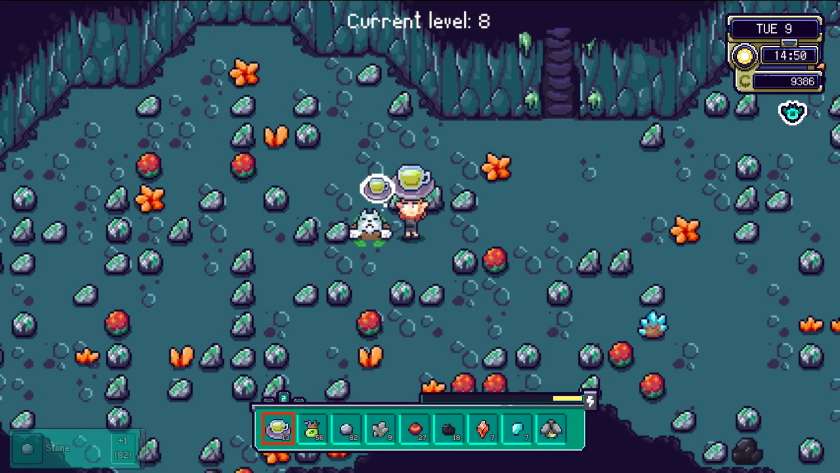
There are several mines in Farlands; the easiest is on Bohr, the moon of Galea. There are enemies in the mine, but most can be defeated with the scythe. Once you reach level 10, you unlock the teleport system, making exploration easier. The mines on Hafnir are more dangerous, with tougher enemies, but offer greater rewards. Again, there is a fast travel system, this time in the form of minecarts, unlocked by collecting spare parts. Molecats live in both mines, and they reward you with resources if you donate the correct object. Whilst I enjoyed the challenge of mining on Bohr, the mines on Hafnir are brutal. Many levels are too dark to see, containing enemies that can’t be defeated.
All in all, there is a lot to do in Farlands. I completed the required 70% in around 20 hours, and I thoroughly enjoyed my time zipping around the planets. Unfortunately, when I handed in the qualifying donations, I didn’t get a final cutscene; instead, I was trapped in the Ark and had to wait to collapse at 2 am. I’m hoping that this is not the desired ending!
Controls, Options and Issues in Farlands
Although the controls are straightforward and similar to other farming simulations, there are no on-screen prompts or control button explanations. Instruction cards appear to explain certain aspects of Farlands as you unlock them; unfortunately, though, some of the information is incorrect.
I didn’t encounter any noticeable judders whilst playing Farlands, but the loading times as you change area, and especially the overnight autosave process, are excessive. Whilst the Nintendo Switch 2 performs better, being plunged into darkness for nearly a minute on the Switch or Switch Lite is not a great experience and ruins the flow of the game. In addition, the Darmstad mines had bugs of the software type, and disappointingly, I couldn’t progress further than level 1.
There are general audio settings in Farlands, and a very useful UI size option, as the text is too small to read on the Switch Lite screen without it.
There is a day-and-night cycle, and a standard in-game day takes between 10 and 20 real-world minutes, depending on how much space travel you do. There is no financial penalty if you collapse at 2 am, other than a lack of stamina the following day.
Conclusion
Farlands is a comprehensive life simulation with a space travel twist. There is a good variety of farming, fishing, bug collecting and mining, driven by the need to fill a museum-type Ark.
However, Farlands needs better optimisation for the Nintendo Switch and more robust testing to catch the bugs towards the end of the experience – hopefully, neither should be rocket science to resolve.
So, whilst there are some non-cosy design choices, like the dark and dangerous caverns of Hafnir, overall, I enjoyed my time in the Farlands. With the caveat of the issues mentioned and the hope of a swift resolution, my final verdict is:
Final Verdict: I Like it 
Do you like our content?
Subscribe to our daily news and never miss a review!