



Game: Hokko Spaces
Genre: Simulation
System: Nintendo Switch (Also on Steam (Windows))
Developer | Publisher: Wonderscope Games Ltd | Team17
Age Rating: US Everyone | EU 3
Price: US $7.99 | UK £7.99 | EU € 7,99
Release Date: October 29th, 2026
Review code used, with many thanks to Press Engine.
Hokko Spaces is a sandbox experience that creates little paradises for characters inspired by the world of Hokko Life.
Creating Scenes in Hokko Spaces
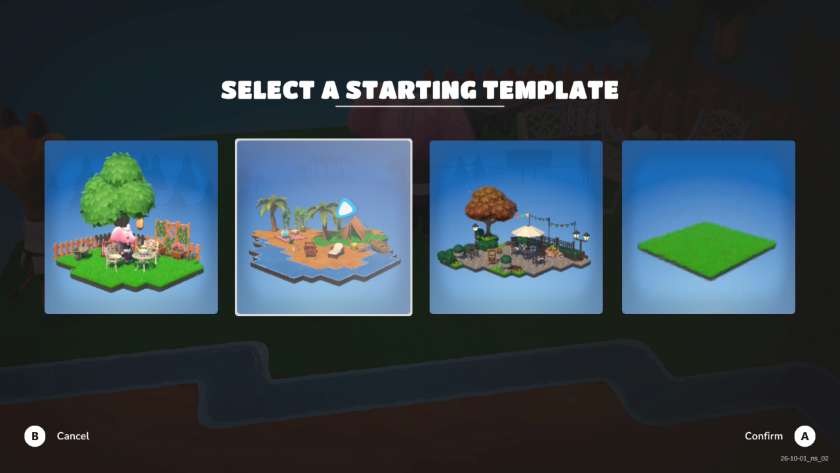
There are four templates to help start your design. You can choose from a little garden, a beach camping scene, or an autumnal street cafe. The fourth is a blank canvas, with just a small patch of grass. However, when you first launch Hokko Spaces you start with the little garden one, which includes Oma, a cute pink elephant.
You are not given a tutorial as such, but there is a quick overview of the design tools available in Hokko Spaces. The World Builder tool allows the creation and destruction of ground tiles. You can build with soil, grass, sand, rock, and water, and the tiles can be placed at different heights. The World Options menu allows you to customise weather types (sun or rain), seasons, time-of-day lighting and background shadows.
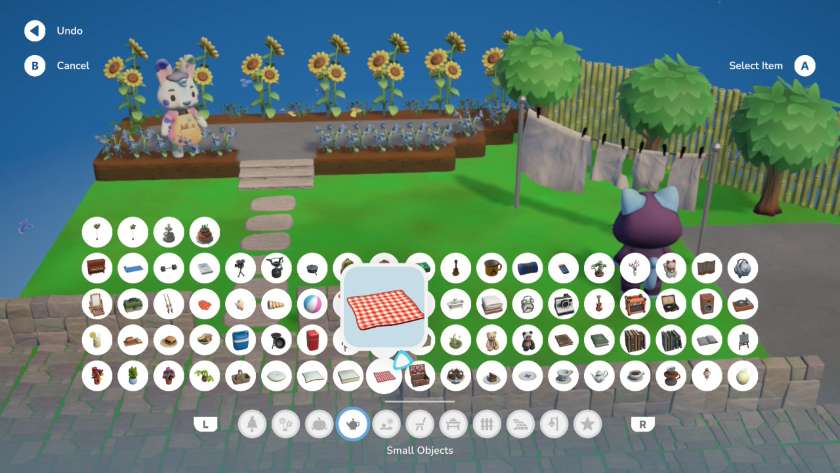
The Decoration menu has multiple tabs for foliage, flowers, crops, small objects, outdoor items, chairs, tables, fencing, paths, lighting, and special (currently just spooky) décor. There is a good selection, and some items have multiple colourways. It’s a little cumbersome to navigate using a controller, especially when there are multiple rows. Although most objects are recognisable, it would be great to have some extra details about them or more tabs to separate out categories. Any item can be selected, then moved or deleted.
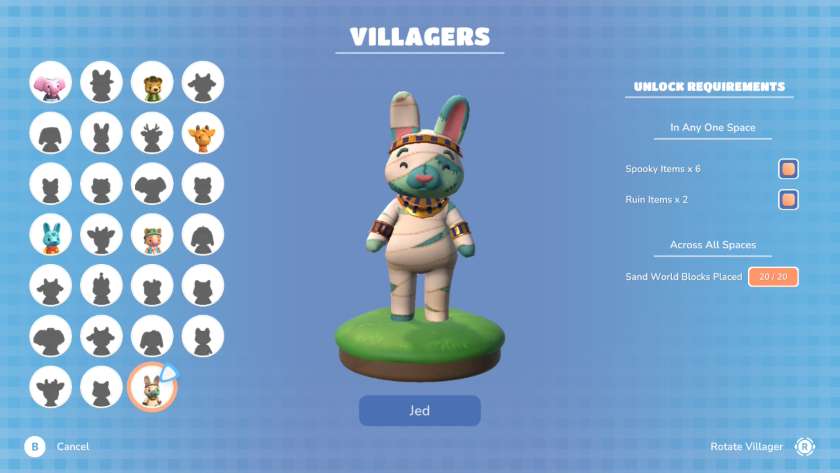
The final design option is the Villagers tab. When designing a world, you can select which villagers you would like to roam around your Hokko Spaces. However, you have to unlock the villagers first by completing tasks given on the Villagers menu. The requirements vary from having certain items in a single space, to having placed multiples across all your saved Hokko Spaces.
I loved the challenge of designing Hokko Spaces to unlock the villagers. However, some of the requirements are unbalanced; for example, you need to change the weather 20 times. I achieved this by simply going into the World Options menu and toggling between the rain and sun until I met the target, without even leaving the menu. There was no skill or pleasure in doing it this way, but there wasn’t the encouragement to do it creatively within a space. Maybe having to create five spaces where it was raining would have been better.
The other annoyance in achieving the villager requirements, was trying to work out what constitutes, for example, a musical item. I carefully placed a piano, two speakers, and three guitars, only to discover I hadn’t met the required four items. It turns out that acoustic guitars aren’t musical; luckily electric ones are. Identifying colours was even trickier, so once I found a pink flower which registered as pink, I filled the space to unlock Patches, rather than creating a scene to be proud of.
Capturing your Hokko Spaces
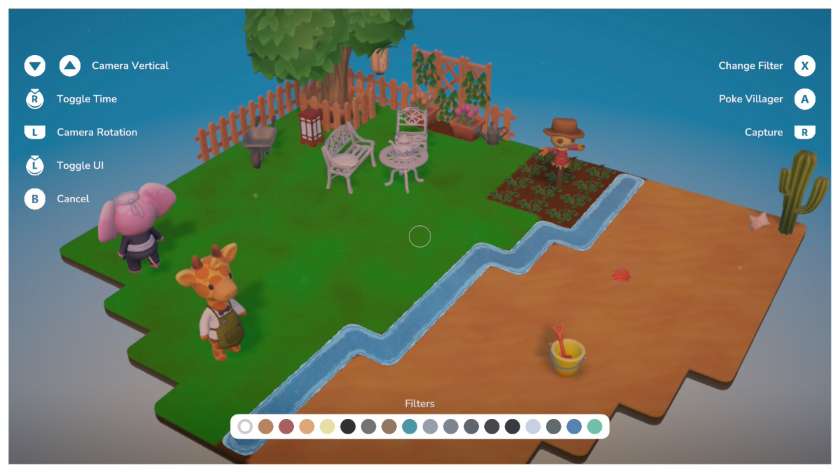
Once you have designed your perfect Hokko Spaces, you can capture them via the built-in photo mode. There are multiple filter options to enhance the shot, and you can interact with the villagers, encouraging them to stop and wave at you. Unfortunately, the saved screenshot on the Nintendo Switch is a blurry image, not something worthy of saving. I’m sure this issue will be resolved promptly.
Gameplay
The controls are given on screen and are straightforward enough to use. The text is small, but readable, even on the Switch Lite. However, the data collection agreement is too small to read, even in docked mode on a 55-inch TV. I didn’t notice any frame-rate issues.
Hokko Spaces periodically autosaves, but there is a manual save available as well. You can set your scene to have a day/night cycle, or select a specific time of day to enjoy that lighting style.
Conclusion
Hokko Spaces is a delightfully charming mini-world builder. A little more work is needed around the categorisation of the decoration items. However, the villagers are super cute, especially when they play in the pile of leaves, water your crops, or simply sit down and enjoy the view. Watching them interact with the environment you have created is definitely a highlight.
Final Verdict: I Like it 
Do you like our content?
Subscribe to our daily news and never miss a review!