



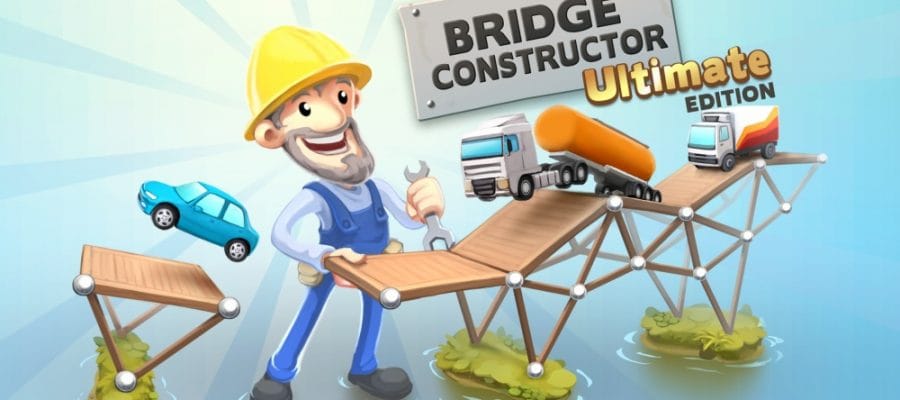
Game: Bridge Constructor Ultimate Edition
Genre: Simulation| Puzzle
System: Nintendo Switch ( Also on Console and Mobile)
Developers|Publishers: Clockstone Software|Headup Games
Age Rating: EU 3+|US E
Price: US $14.99| AUS $18.99|CA $ 19.83| £11.99|€11.99
Release Date: 31st January 2020
Review coded used with thanks to Headup Games.
Ever thought you’d like to construct bridges, to be a bridge engineer and architect? In Bridge Constructor Ultimate Edition that’s exactly the role you play as you create and design your own structures. Watch the cars and trucks drive over them. Will they cross safely or will you see them fall and crash while your inferior creations collapse due to weight and the laws of physics?

Devastating Earthquake
The Island nation of Camatuga has been struck by a devastating earthquake which just so happens to destroy all the bridges on the island. Traffic cant travel too and fro anymore. Since you’re a budding bridge engineer its time to hone your skills and get to work. Start building bridges over rivers, deep valleys and canals in this physics based construction puzzler.

Bridge Over Troubled Water
You start with a gap between two stretches of road and are shown each section of bridge building, your budget limit, what materials to use, and how to stress test your creation. You wouldn’t want to be responsible for a dire accident if your bridge fell apart as traffic traveled over it, now would you?
You construct a bridge from each anchor point across the gap in the road. To begin with, you only have wood available to use, but as the game progresses other building materials such as Concrete pillars, Steel cables, and Steel girders are unlocked and the structures you need to build become more challenging. Unlocking a material does not mean its always available as you’re limited in what you’re given on each level.
The wood is the cheapest material, but it’s also the weakest. Concrete is very strong and it can’t be damaged easily, but you can only place it in certain points plus it costs a lot. Cables are very useful, can be stretched over long distances, but they aren’t very strong. Keeping an eye on the budget is key as the bridge doesn’t only have to be strong enough for traffic to cross, you have to stay within the budget too.

Mind The Gap
Each gap has its own problems as they’re not all straight across. They have different widths and anchor points can be in odd places. Once you think you have finished building you can press the the “play button” and watch while two cars cross safely to the other side. Or not depending, on how your bridge stands the stress. If they do you move safely over, you are on to the next level.
However, if you want the highest score you have to build a bridge strong enough for two trucks to traverse the bridge after the cars. You can retry the level and make any adjustments to your bridge and press play again so the two trucks can cross. There is more than one solution to each level and the your bridge doesn’t have to look like or a master piece of engineering. As long as the cars can pass over it to the flag on the other side, it’s a win.

Lots of Levels and DLC
With 40 levels in Camatuga alone to complete, that’s a lot of bridges to build and gaps to fill. Bridge Constructor Ultimate Edition also comes with 2 DLC packs, Slope Mania and Trains expansion, both DLC’s add another 32 levels to complete.
In Slope Mania as the name suggests you’re bridge building takes on a new level of difficulty as one side of the gap can be lower than the other side resulting in a bridge that has to be built in a slight gradient, or even built in a cave which can restrict the height of the bridge. The Trains expansion adds trains which of course are a lot heavier than cars and trucks, using a bigger budget and more steel girders.

Controls and UI
You can control Bridge Constructor in two ways, either using the Joy-cons or the touchscreen, I found that the joy-con control suited me best as using the touchscreen for placing the material wasn’t just as accurate as my finger blocked my view.
The UI is clear and simple, everything is clearly explained on how to play over the first few levels. The game has a cartoonish look to it and the landscapes around the bridges are quite good if you take the time to look at them. The music is gentle and relaxing which is a nice touch, since bridge building can be quite a challenge. The two mix well together.

Conclusion
The puzzles in Bridge Constructor Ultimate Edition offer unique and challenging engineering scenarios, yet the simple and addictive nature of the gameplay makes working through each island a rewarding experience.
Bridge constructor manages to build up a real sense of tension as you tap the “play” button to see whether or not your bridge is sturdy enough to withstand the load and tension.

In the end, there is so much content that you can keep building for hours and still have lot’s of work to do. It can get repetitive, however it is the sort of puzzle game that you would play in short bursts, maybe when inspiration strikes. Remember one thing: Triangles are your friend when building bridges!
Final Verdict: I Like It
Such a sucker for mobile games, but I actually really like these complete packages. Picked this one up on sale since build a bridge just wasn’t doing it for me.
Hey Rob,Thanks very much for reading and commenting. I hope you have fun with the game and remember triangles are a bridge builders best friend.
I just purchased the game, but I can’t figure out how to navigate the menu on the left side of the screen to save or go back to the menu. Can anyone help?