


Here we are back again with some more Tips for Civilization 6, a game that can be daunting when you are new to it. A couple of weeks ago we already published some tips, and now it’s my turn to share some more. Look at it as a sort of Civilization Guide for Beginners. If you want to see more tips and tricks you can find them here.
It’s not about winning but the fun of playing
Civilization is one of those games that you learn more about while playing it, mostly losing more than actually wining a game in the beginning ( Remember it’s the fun of taking part that matters .
The in- game tutorial does a decent enough job of explaining and the advisor during game play helps as well. Though it should be noted that you do not need to heed everything she tells you and just go your own way!
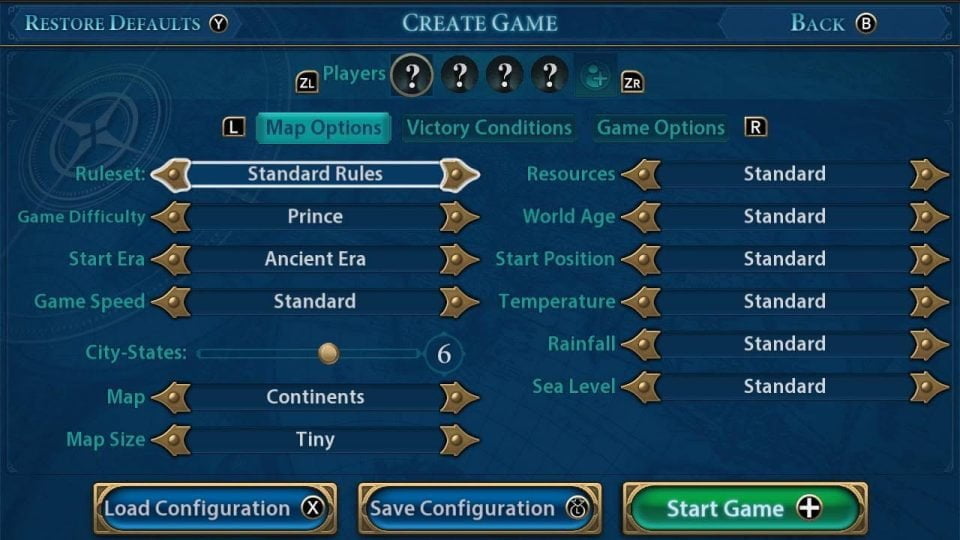
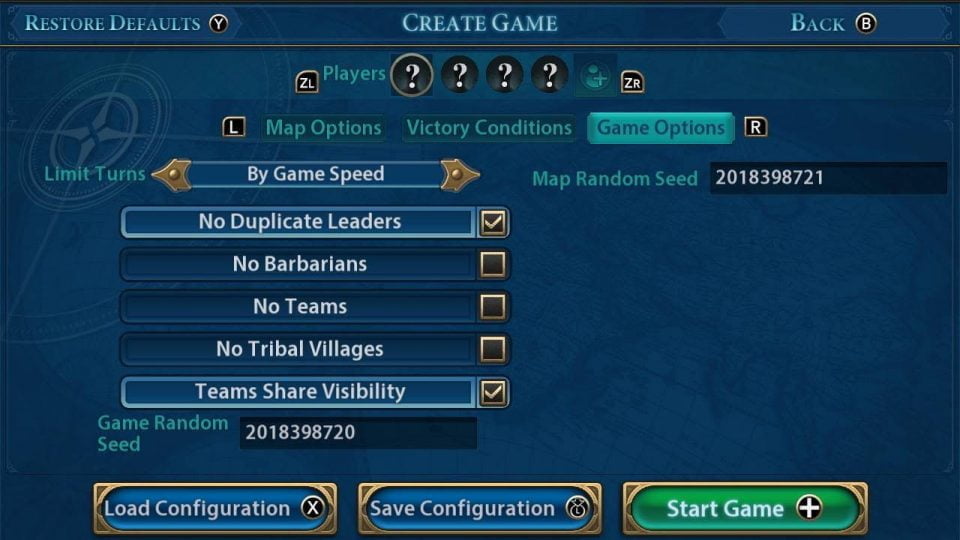
The Create Game section in the start menu is where you get to chose how you want to play. From picking a two player game under what ever conditions you set to playing higher difficulty with a large map. What ever you chose can be changed in the Advanced Settings section after you pick which nation you wish to be.
The settings that can be changed are Map Options, Victory Options and Game Options.
Create your own world map
Map options let’s you pick what size of Map (obviously ) you want to play, choices are
- Continents: A few large landmasses.
- Fractal: Unpredictable map that can result in many or few landmasses.
- Inland Sea: One large ocean in the center of the map.
- Island Plates: Islands ranging from small to large.
- Pangaea: One massive landmass with surrounding islands.
- Shuffle: What secrets will this map reveal?
- 4-Leaf Clover:Civilizations start in four balanced regions. The map forces players toward the center.
- 6-Armed Snowflake: Civilizations start in six balanced regions, with City States on nearby islands. The map forces players toward the center.
- Earth (Map): A representation of Earth with resources, terrain and features reflecting their historic locations.
- True Start Location Earth: Civilizations start at the location of a historic capital on an Earth map.
- Archipelago: Lots of small islands with a few larger islands.
- East Asia: A representation of East Asia with resources, terrain, and features reflecting their historic locations.
- True Start Location East Asia: Civilizations start at the location of their historic capital on the Asia map.
Between picking what size of map you would like to play on you can also change the conditions of the land, from changing the amount of resources that appear on the hex’s to the hight of sea level on your map, there is a lot to play with so change the settings and have fun, if you don’t like the setting you changed it can be changed back.
Start as a Settler, end like a Deity
Game Difficulty is listed from easy to hardest starting from,
- Settler: easy
- Chieftain
- Warlord
- Prince ( which is the games default)
- King
- Emperor
- Immortal
- Deity: hardest.
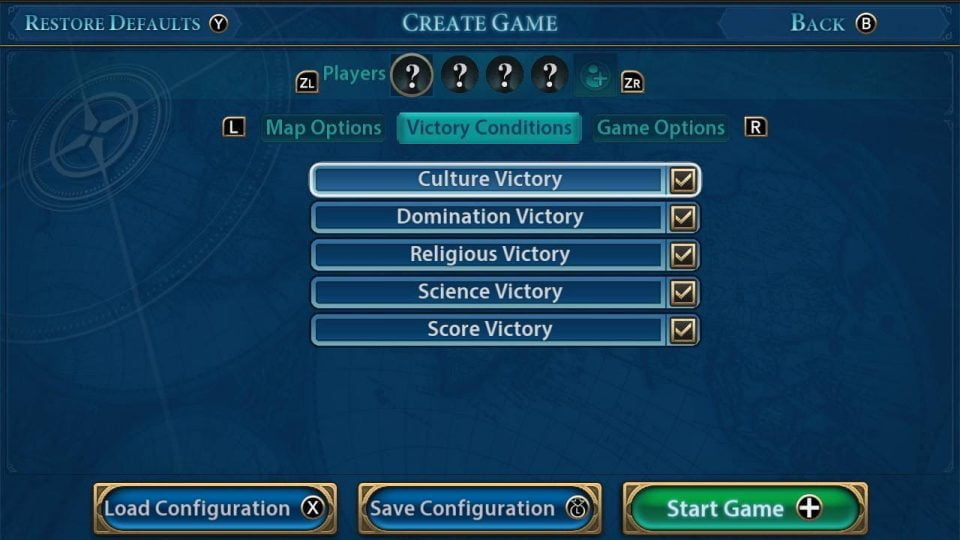
Victor Conditions are exactly what it says, on this screen you can turn of or on a particular victory, if you want a relatively peaceful game (except for barbarians) untick the Domination victory or if you don’t want to win by going for a Religious victory turn that setting off. Again it’s something to play around with and tailors the game more to you liking.
Game Options lets you turn of barbarians or have no tribal villages on your map, though tribal villages can give eureka moments so I’d be less likely to turn that option off.
You can also limit the turns in a game in this section.
- By Game Speed: game ends at 2050 AD
- Custom:game ends at specified number
- No turn limit: no limit to number of turns
Check the citizens in the hex
Now for a different tip, this time it’s from the game screen. While playing your game you can check just what hex’s are being worked by your citizens. The game itself sends citizens to a hex within your city’s borders to work, but you can change that and assign your citizens to what ever hex you want them to work. After all, your choice might be better suited to whatever victory you are trying to get. Press the picture of a head at the bottom of your cities control panel and you can see exactly where the work on the hex’s is taking place.
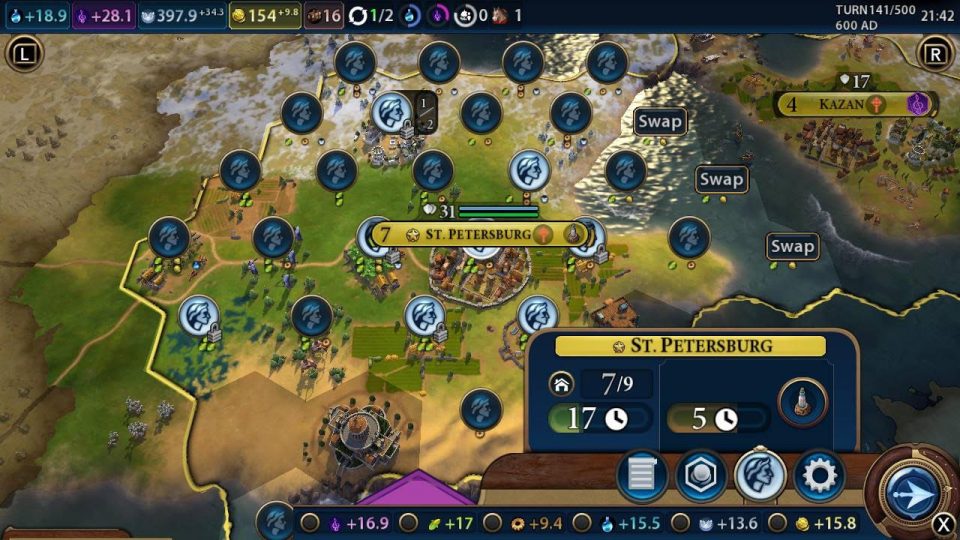
The icons at the very bottom of this screen (picture ⬆️) can be clicked on, if you click on the food icon that city will then put all its production in to food over any of the other productions on that task bar.
Well that’s probably enough tips to be going on with, you have probably fell asleep by now with all this Civilization talk. The main thing as we have said before is to enjoy the game and have fun which ever way you chose to play.
Do you like our content?
Support LadiesGamers as a member on Patreon!
 Or buy us a cup of coffee or tea on Ko-Fi!
