

Game: Train Valley 2: Community Edition
Genre: Strategy, Puzzle, Simulation
System: Nintendo Switch (also on Steam (Windows), Xbox, PS4 and mobile)
Developer|Publisher: Flazm | BlitsWorks
Age Rating: EU 7 | US Everyone
Price: US $24.99 | UK £22.49 | EU €24,99
Release Date: November 23rd, 2023
Review code provided with many thanks to BlitsWorks.
All Aboard Train Valley 2: Community Edition
Train Valley 2: Community Edition is a strategy with puzzle elements where you build a train network and then proceed to transport resources to various destinations in an orderly fashion without causing a nasty crash. The game has been a hit on the PC but now sees its inevitable console launch, which comes packed with all the DLC packages as well as 158 additional community-made levels. We also reviewed the first Train Valley Console Edition and you can find that review here. If you’re looking for something relaxing to enjoy then you could not find better value for money.
Lay Track and Strategize
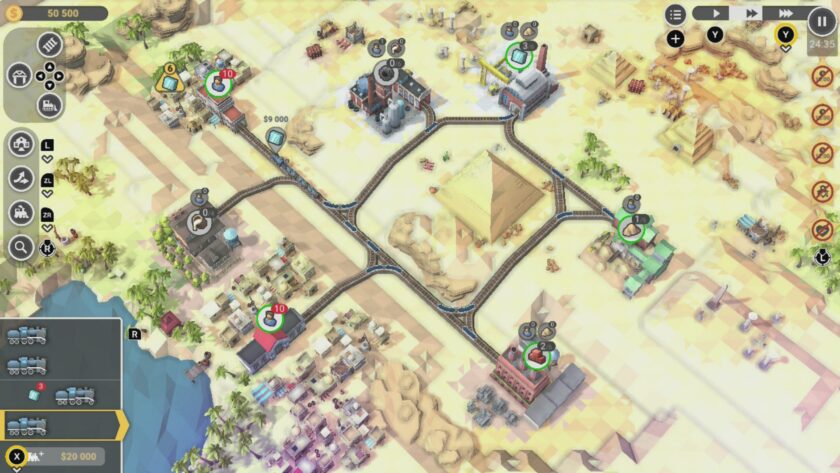
Train Valley 2 has no story to speak of, but the general goal of each level is to fulfil the resource needs of specific locations on the map. For example, a town might require some corn. In order to get the corn, you need to build a railway line to the place that makes the corn. To produce the corn, you need to transport humans to that station. So you send a train full of humans. These humans then make the corn, and you send another train back to the other station to deliver it. Then, hey presto, the objective is complete.
Of course, it’s more complex than this. Before you know it, there are multiple locations on the map with multiple needs to fulfil. Soon, you’re building a complex railway network linking various stations together. Building a track costs money, but you will make money by delivering the correct resources to the right station. With the addition of a complex rail network, you need to control the location trains will travel, made easy with handy indicator arrows.
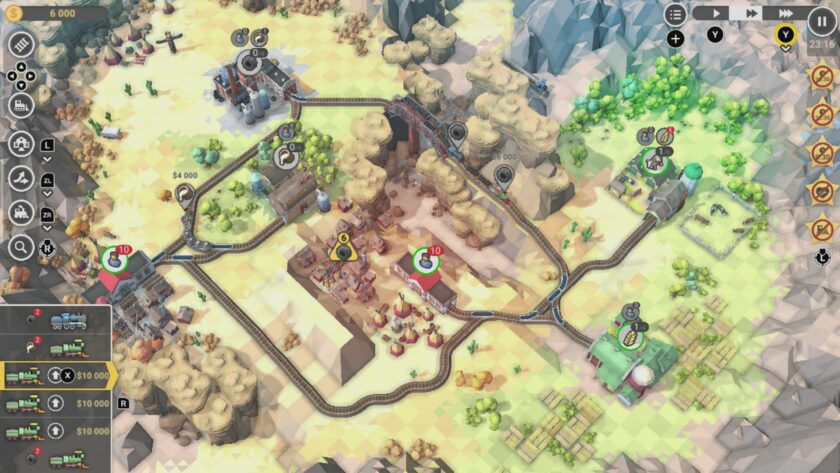
The challenge comes by avoiding collisions with the other trains you have sent out. If it gets a bit hairy, you can pause the action on screen and stop the trains in their tracks while you figure things out. But if things do go wrong, it’s not always the end of the world. Providing you have enough money, you can delete the damage, repair trains and start again.
The biggest challenge for me was spending resources wisely. Picking the right locations to focus on and spending my hard-earned money carefully. The game soon becomes a complex strategy of juggling your network of trains. The game’s biggest strength is you can make it as difficult as you want for yourself. If you want to take your time and send one train out at a time, you can. That is totally fine. In fact, I found the game much more enjoyable, slowing everything down and thinking things through.
Into the Future
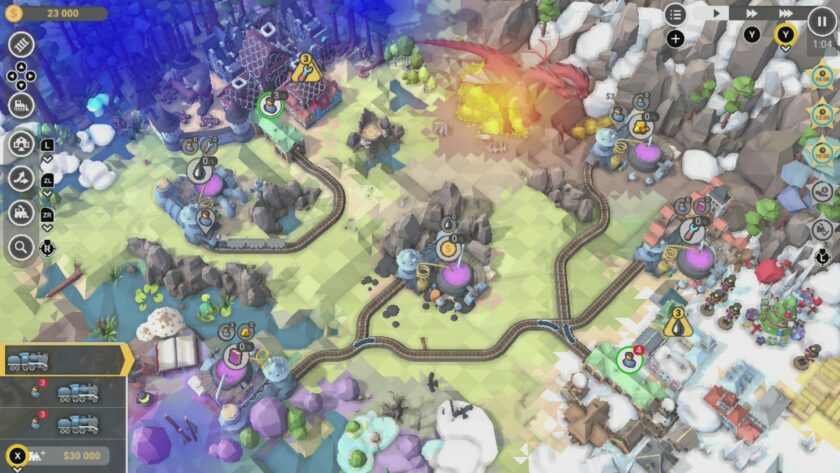
Objectives are similar, but each level feels distinctly unique. You start out in the Industrial Revolution, and as you gradually progress through, you see the technology change as you begin to head into the future. The game makes use of a low poly 3D graphical art design that feels very suited to its trip through time. Each level feels carefully crafted with unique layouts and terrain, making it hard not to jump into the next one. This general calm feeling about the whole premise makes it suited to all audiences. Additionally, it ran very well in TV and handheld modes.
Learning Curve
The game breaks you into the experience with a general tutorial, but I will admit it took quite a bit of time for me to get my head around all the game’s controls and mechanics on Switch. This is probably because the game clearly favours PC controls, using a mouse, where you simply select what you want on screen at the click of a button. That is not to say the developers have not done a good job transitioning to the controller. It just took a bit longer for me to wrap my head around which button prompts to select before I was able to relax into the experience. Something like laying a railroad down, which is easy with a mouse, is much more fiddly when trying to direct it with an analogue stick.
Since tiles on the map were at an angle, it was hard to control where the track would lay. Fortunately, a quick tap of the ‘b’ button deleted my mistakes. Touchscreen controls are enabled in handheld but don’t feel as utilized as possible. It was handy to tap on options and set trains off from stations, but I could not seem to use it to lay track, so a hybrid of button presses and tapping was how I spent most of my time in handheld mode.
Objectives
Another niggle I had with the experience was the objectives. In order to gain stars to unlock new trains as well as add some extra challenge to the game, each level has various objectives to complete such as laying a specific number of tracks, not crashing trains and not deleting tracks. I was fine with these objectives as you could take them on at your own pace. Three stars were always tied to how quickly you finished the levels. I just didn’t gel with these objectives, probably because playing this on a console clearly puts you at a disadvantage compared to a PC. Going for these just made the experience stressful for me, but some gamers may welcome this challenge.
Conclusion: Pulling in at the Station
Train Valley 2: Community Edition is great value for money if you’re looking for a challenging puzzler that won’t push you to the limits of frustration. Multiplayer isn’t a thing, but I could see this as a fun game to enjoy with younglings, especially if they love trains.
For me, it was at its best when I just went at my own pace and completed the objectives. Levels are numerous and varied, so this will likely keep you busy for a very long time. Controls are fiddly to start with and don’t quite capture the simplicity of a PC. But once you get your head around it this a great one to enjoy after one of those long days. It’s a train job worth taking on board.
Final Verdict: I Like it a Lot