

Game: Colors Live
Genre: Simulation, Education
System: Nintendo Switch
Developer| Publisher: Collecting Smiles
Age Rating: EU 3+ | US Everyone
Price: UK £24.99 | EU € 29,99 | USA $29.99 (digital game only)
UK £49.99 | EU € 49,99 | USA $49.99 (physical edition with sonar pen)
Release Date: September 14th, 2021
Review code provided with many thanks to Collecting Smiles
Let me state first, that I am no artist. I do know how to copy from another image, that’s what I can do fairly well, but thinking of something from scratch is something I’m not good at. But still, creating a pleasing drawing or painting fascinates me. Which is probably why I have the Procreate app on my iPad to use with my Apple pencil, why I have Art Academy on my 3DS and why I dabble in Photoshop. Tools aplenty should the creative mood strike me.
Hearing that Colors, that I remembered as a “game” on the 3DS was coming to the Switch I jumped on the chance of reviewing this new title.

Colors Live has had a colorful past (pun intended!). This bundle with a pressure pen for Switch came to life thanks to a Kickstarter campaign in May 2020. The interest in this product was overwhelming, the Campaign got way more funding than it had asked for.
Create an Art Studio in Your Switch
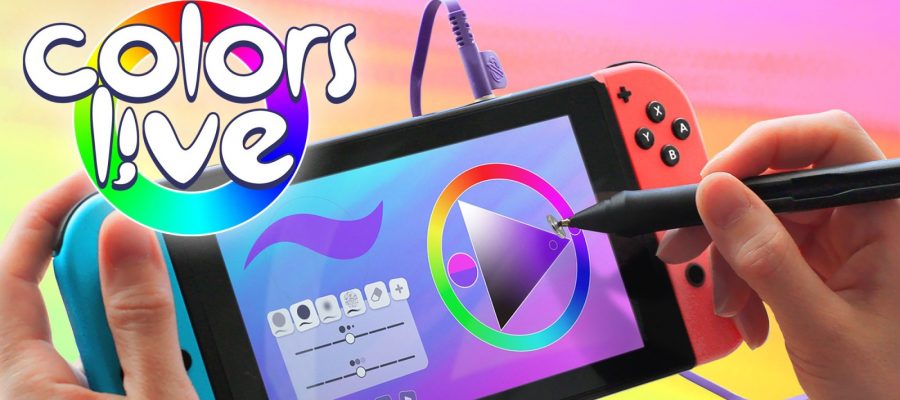
Colors Live is a very complete digital painting program. It includes a color wheel allowing you to use any color in the most intuitive way. Many kinds of brushes are included in different sizes, including the pixel brush and pixel eraser which I loved. (Reminded me of making patterns in Animal Crossing!).
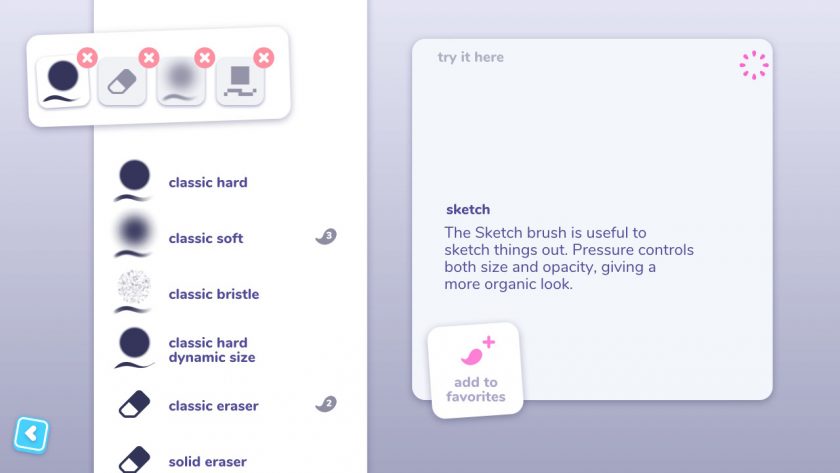
Each brush can be used in various intensities and the Sonar Pen makes your options even greater. What it also has is layers: you can have 10 layers in your paintings, which allows you to play with colors, images overlapping and work in detail without smudging out what was already there.

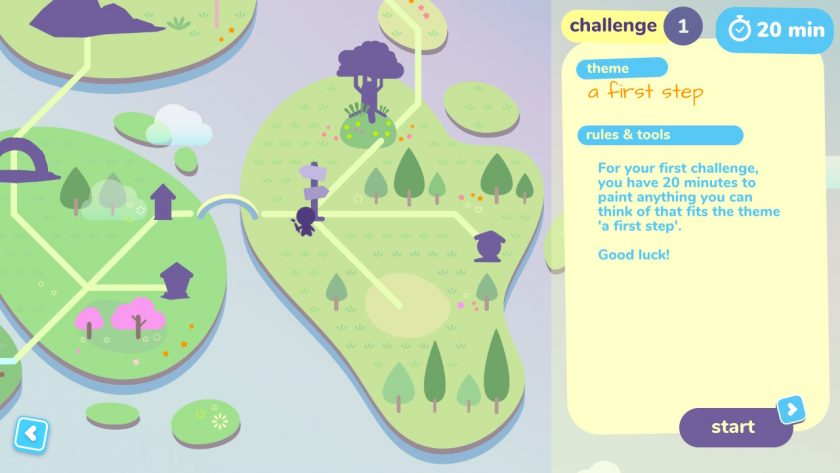
Colors Live doesn’t educate you or give you pointers on how to be an artist. It’s not like in Art Academy where you could follow instructions and get tips on how to make the most of an artwork. In this Switch version Colors Quest is added. You start the quest by drawing something that you hope you’ll find in the Tower at the end of the quest. And then get a daily challenge to progress. They vary from a clear assignment like paint sitting alone, or paint something while you can only use bold brush strokes. It’s a nice addition, making for a challenge daily to level up your skills.
The SonarPen
The Sonar Pen is really a game-changer when it comes to Colors Live. It enables the Switch to function as a real art studio as it works as a pressure-sensitive stylus. And with it equipped a light press on the stylus gives you a thin line, very handy to sketch. A heavy press on the tip gives a thicker more solid line. Plus, you can equip one of the multiple features to paint with. I put the color pallet on there, so I could easily reach it with a tap on the button near the tip, instead of pressing the L-button on the Switch.
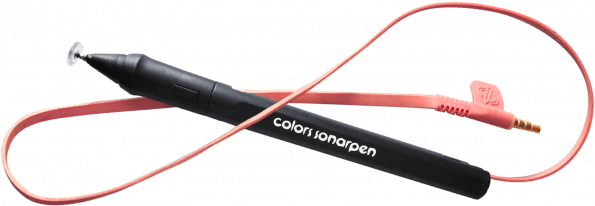
Every stylus can draw a line on the touch screen of the Switch, you can even use your finger. But only a pen-like the Sonar Pen can vary the pressure. You do need the power to do that, but here there’s no battery or Bluetooth at work: the Sonar Pen draws it from the Switch, using a power cord that you plug into the headphone jack. Might not be the most elegant way, but it works well because it only needs a little bit of power.
Palm Rejection and Playback
Another very welcome feature of the game is that it has Palm Rejection. Everyone who has ever tried to make a digital painting will know how annoying it is that you can’t rest your hand on the screen for fear of it making false lines or markings. Colors Live with the Sonar Pen has this covered, which allows you to draw comfortably.
There is a very active live community where people share the little gems they made, and this community has been active for years now, ever since the first version of the game. Online you can find paintings that already have been created by people far more talented than me!

A feature I simply adore in Colors Live is that you can use playback, allowing you to see yourself make your painting from scratch. And even more important, you can also watch playback for all the paintings the online community has put online, some 4 million to date! I watched in awe at how people work the most amazingly detailed masterpieces.
Connection to the SonarPen
There is a niggle and an important one for me. You see, I have the first version of the Nintendo Switch (2017-2018), and it seems the Sonar Pen has a problem connecting to it. This is an inconvenience, even though there is a method to wiggle it so that it eventually gives the green light, literally, called the slow-plug method. However, every time my Switch goes into sleep mode, the Sonar Pen isn’t detected anymore. But, Colors Live has you covered.
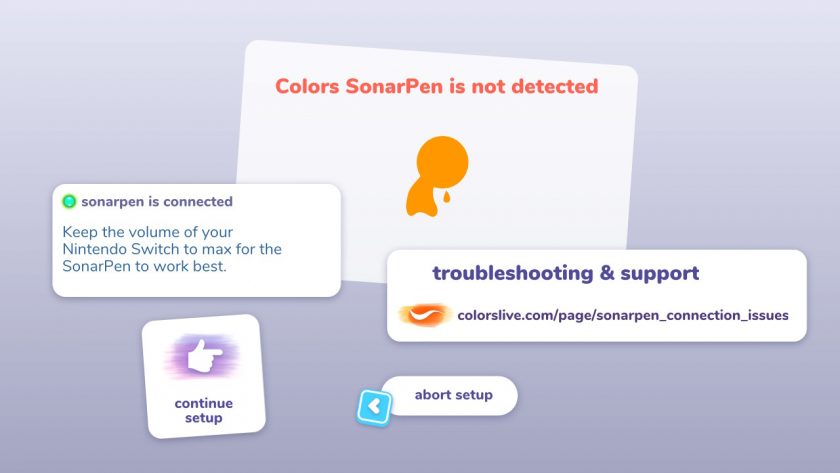
“If the slow-plug method works, it means that your Colors SonarPen is working, but that your Nintendo Switch has trouble connecting it. Since the slow-plug method can be hard to get working and is inconvenient, we are offering to send out USB-C adapters for those affected. The USB-C adapter allows you to connect your Colors SonarPen to the USB-C connector at the bottom of your Nintendo Switch instead of the 3.5mm audio-jack.”
(More on the connection troubles of the SonarPen here)
Conclusion – Unleash Your Inner Picasso
Colors Live turns your Nintendo Switch into a real Art Studio. It has all the features a budding artist needs at her fingertips. The SonarPen is an important add-on as it’s a pressure-sensitive stylus, allowing you to make even more detailed work.

A lot of brushes are available and a color wheel with every shade you could wish for. There’s a very cool playback function allowing you to see all the steps artists in the online community have made, and Colors Quest is added, giving you little assignments daily.
Colors Live won’t turn you into an artist overnight, but it is fun to dabble in even for a complete amateur like I am.
Final Verdict: I Like It a Lot