



Game: My Little Life
Genre: Idler, Simulation
System: Steam (Windows)
Developers | Publishers: 9FingerGames
Controller Support: No
Price: US $5.99 | UK £4.99 | EU € 5,89
Release Date: January 31st, 2025
A review code was provided; many thanks to 9FingerGames.
My Little Life is a 2025 life-sim game developed and released by 9FingerGames.
Premise
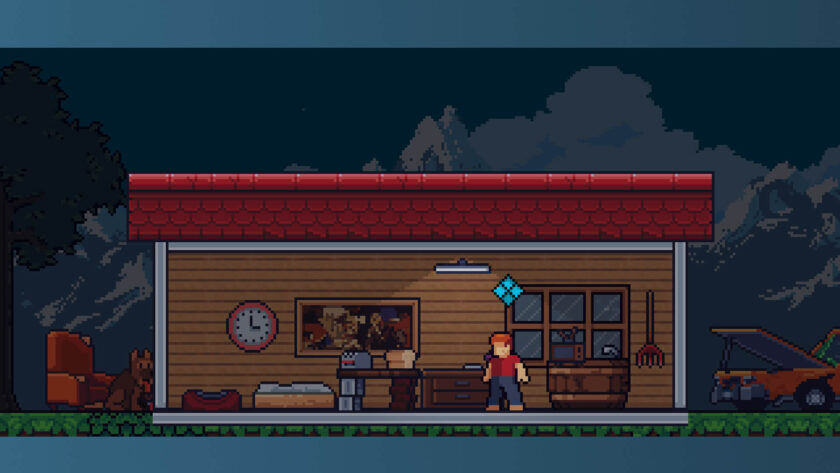
In My Little Life, a charming simulation game is positioned at the bottom of our screen. It allows us to focus on other tasks while periodically checking on our little person, living their best life.
The Gameplay of My Little Life
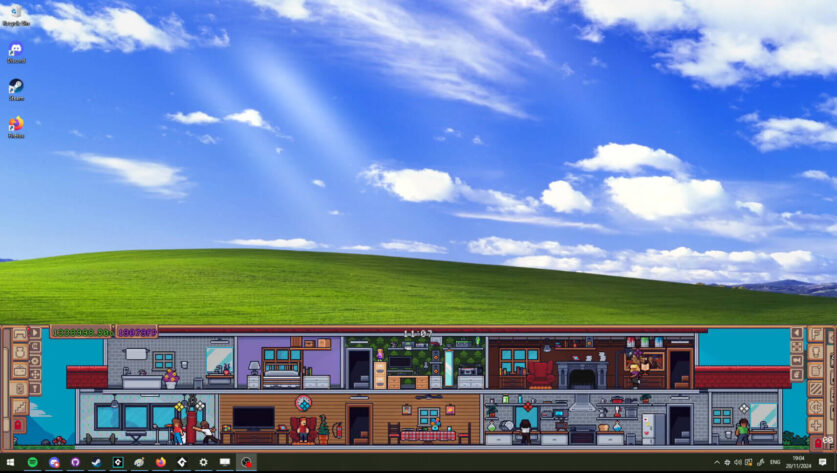
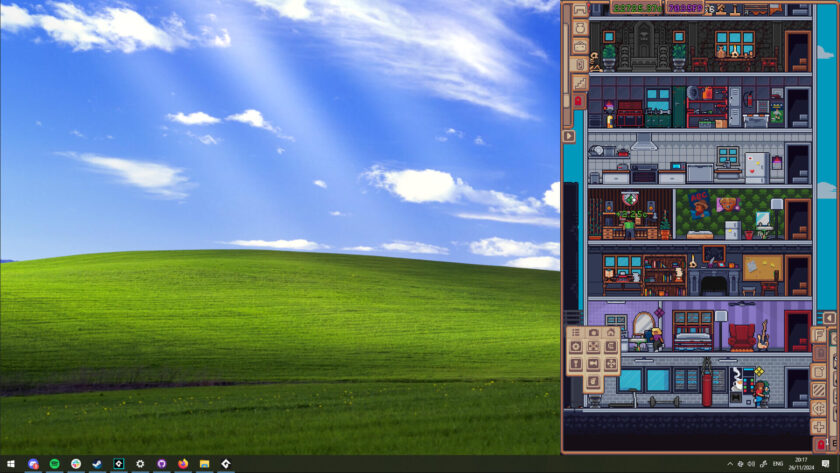
My Little Life can be positioned on the bottom of the screen or on the side – allowing us to tailor the gaming experience to our usual working setup. Choosing how the game is positioned depends on which mode we decide at the beginning of the game.
The suburbs are the recommended mode- they sit on the bottom of the screen, and we have more space to explore. On the other hand, the urban setting is like a tower on the side of the screen. The game has no loud popups, no distracting events, no timers, and no need to pay attention or else. That allows us to do our tasks and check as often or rarely on our little person as we want.
Our little person has a certain amount of personality, meaning they will keep on living, doing tasks, and so on, whether or not we check on them. Some of the more important decisions are left to us, however.
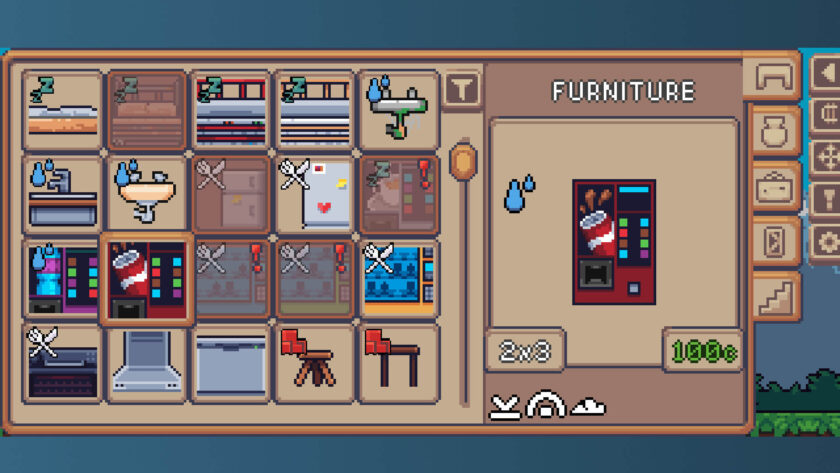
Like in The Sims series, our little people need bars, which they take care of primarily alone. Sometimes, they will ask for an item to help with specific needs. When buying an item connected to a particular need, you can see a small icon in the corner of the store. For example, to fulfil my hunger needs, I need to buy a fridge or something cheaper – a toaster. The item I need has a little fork crossed with a knife in the corner. That’s how I know that this particular item will work.
We start with a basic setup—a small house and some space to walk around and collect things to sell. We unlock additional items as time passes. We can find a job for our little person, and then they get better at their job, earning a better salary, allowing for more spending and unlocking more items to buy. We can work at anything from a farmer to a hacker.
We can build and decorate our own tiny homes. When an item is unlocked for purchase in the store, we can buy it and have it delivered to our doorstep. Unlike The Sims, here in My Little Life, we don’t have a separate build mode—everything we need to upgrade our home is in the main store. The walls can be bought one segment at a time from the furniture portion of the store.
Completing tasks, which can be anything from opening a package to finding a job, unlocks more decorations and furniture and allows us to upgrade the whole town. We can unlock items with credits we’ve collected from fulfilling tasks.
We can also recruit more little people, each with their own personalities and tasks to perform. They can all have separate homes or live together. It’s really up to the players.
My Little Life has basic audio and video settings. The camera can be set to be static or to follow your little person. The game also has Steam achievements but no trading cards.
Conclusion
My Little Life is a charming little game that sits on the edge of your screen, allowing you a brief respite from everyday work. With its cute pixel graphics and easy-to-get-used-to gameplay mechanics, it’s reinventing the desktop pets mechanic of old and giving it a new lease on life.
Final Verdict: I Like it a Lot
Do you like our content?
Support LadiesGamers as a member on Patreon!
 Or buy us a cup of coffee or tea on Ko-Fi!
