

An early access code was used, with many thanks to Sandboxia.
Refactoro: Chaotic Farm is a farming-style sim that’s attempting to add an intriguing new type of puzzle element to the table. As anyone who’s played Stardew Valley or Story of Seasons for hours knows, one of our first desires is to get as many things streamlined and automated as possible. We love our sprinkler systems and our auto-grabbers — so why wouldn’t we like the idea of setting up robots to maintain the whole farming system?
The trick is that Refactoro wants you to learn how to program them yourselves, with a simple drag-and-drop system to try and teach you beginner’s tricks. Now, in early access on Steam, its goal is clear and actually pretty commendable. But read on because I have some suggestions and discussions to offer to help make this game better in the future.
Refactoro Has A Humble Aesthetic And A Few Accessibility Issues
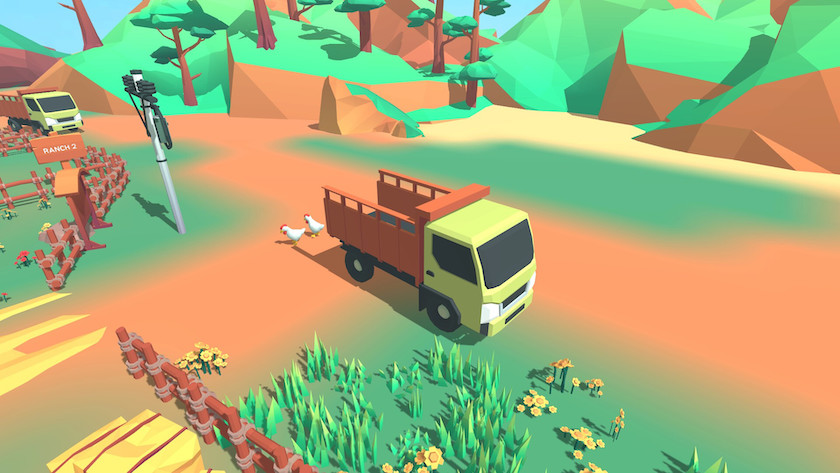
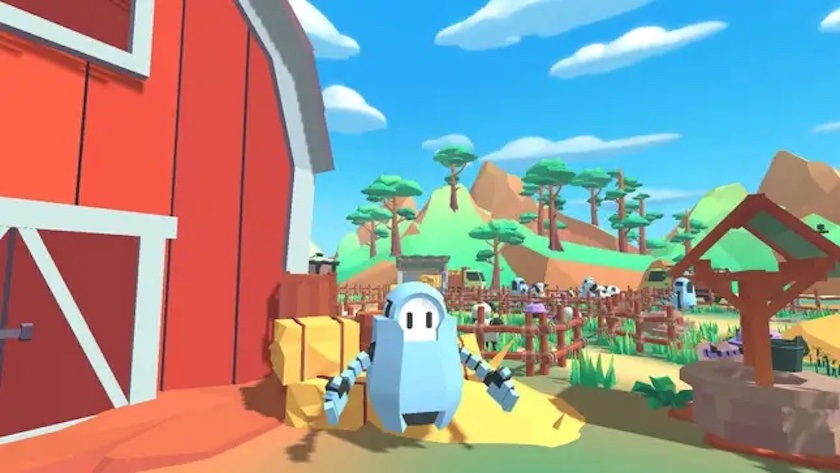
As an indie game in the early stages of its life, Refactoro is possibly still smoothing out its graphical style. The few drawings in game are cute and crisp, but the farm is heavy on browns at the outset, which weighs down its simple high-polygon aesthetic. It does make your first robots pop, as their metallic blue instantly makes me think about the 2008 Transformers Animated series (and how it should still be running). It’s simple to zoom around the farm area and see all the potential for the future.
Here’s where I leave a note: I test and play nearly every PC game on the Steam Deck, and with an early access game, I understand that not all games are now, or possibly ever, going to be optimized for it. This is a game that I would say is going to work best with a keyboard/mouse input, which I’m capable of emulating on the Deck.
What I do note is that there are currently no UI options — again, it’s early access, I understand, and that, especially here, is leaving me with some tiny text. Pull-out menus, like the control reference sheet in the lower right corner, are illegible, and it can be hard to parse mission goals and other outputs. It may be much better on a full screen, but I’m still hoping for UI options down the road, as I bet there’ll still be some need for adjustments there.
Refactoro, Coding, And You
As you’re introduced to the game, you’re currently given a splashy notice from a genial bearded fellow, encouraging you to experiment with control options and the like. Exiting the screen, you’re left with your first robot, which doesn’t have a fully charged battery and the need to clear some grass. So, how do you code? Click on the robot and stare at the options.
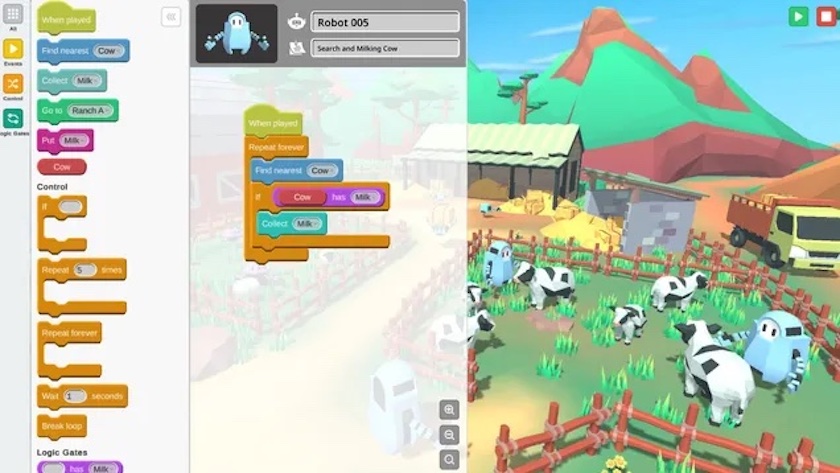
The game doesn’t offer any tooltips or extra guidance about what you’re looking at, and although there are only a few bars to drag and drop to create your first robot commands, it can still be a ‘bwuh?’ moment. It may click faster if you’ve played Final Fantasy XII — that game’s robust Gambit system operates on an easy-to-parse set of options that parallel coding:
If (combat) is happening, then (cast heal) at (20% HP) is approximately what FFXII taught us, which is functionally the same as one of the oldest and easiest to understand coding lines: IF condition, then GOTO label.
Refactoro turns these basic commands into visual and plain language pieces of code you can move around like puzzle pieces. The options to repeat commands indefinitely or a certain number of times look like chomping jaws, where you can fit an option like ‘clean grass’ or ‘find grass’ inside of them. But at first, it may be easier to ignore the ‘jaws’ and use those short pieces to repeat the FIND-CLEAN cycle with your robot manually.
Refactoro Now Has You Saying What?
Okay, so the above will make the most sense if you’re looking at the same screen I am. And unless you have some experience with coding, either as a hobbyist, work with computers professionally, or are partnered with an engineer (twenty-plus years of a happy life with a controls engineer, go me!), even looking at the screen and fussing around with the options may not cause that click of understanding.
It doesn’t help matters that if you start the day and your code is too short or too busted, you get to sit there and wait for the day to end so you can try again. And if you did manage some movement, it’s possible that you burned off a lot of your robot’s energy, and now you have to use your currently very limited funds to refuel it. At this point, it’s easier to restart the game entirely.
This could be balanced by the first couple of tasks offering clearer tutorials and a couple of days of ‘free’ energy so you don’t feel penalized for fussing with your first basic code the way the game wanted you to.
Final Thoughts
I think the first thing the devs need to do moving forward with their early access is to decide if they want Refactoro: Chaotic Farm to be a niche game aimed at people who already understand a little scripting and are looking for fun, silly ways to apply it in a genre of game they might not otherwise try. Or if they’re going for an edutainment angle, at which point some real tutorials about what the individual code-shapes are intended to do. Personally, I think the latter could be a great option and a way for anyone who wants to learn some basic coding rules before diving into the classes Khan Academy or GameMaker can offer.
Right now, Refactoro: Chaotic Farm isn’t a game that’s making itself easily accessible to any audience, and that’s a shame because it really is doing something I haven’t seen before. And with the news that today’s kids are less computer literate than previous gens, this could be a great thing to help bridge that gap. So let’s see how the game develops from here, and personally, I’m rooting for them.
Do you like our content? Support LadiesGamers on Patreon!
Check out our Tiers and Benefits and join us.