


Pokémon Pokopia is keeping me spellbound… it’s a long time ago that a game caught and kept my attention for so long. Like I wrote the last time in my YvoCaro Plays, I don’t often experience pain and discomfort in my hands from playing a game for hours on end, but Pokopia has that effect on me.
That doesn’t mean that I don’t have complaints: the storage is really a problem in the game. So is the sheer volume of things to do in the various areas, but that’s also a sure way to keep me hooked. Still, the gaming community is resourceful and versatile, so I’m pretty sure other players have solutions for both. Let’s take a look around the internet!
Storage Issues: Downloadable Planners
I love a good challenge to organize things in a game. I’ve written about it in the past, in the article YvoCaro Plays: Organizing things is soothing. So it’s not like it stands in the way of me enjoying Pokopia, but the lack of automatic storage access when you are crafting is seriously challenging. Just when they finally solved it in the 3.0 Update for Animal Crossing, they forget to implement that in Pokémon Pokopia.
To make it clear in case you aren’t playing (yet): you find an abundance of materials to craft into items, and gather loads of building blocks that can be reused or turned into other things (like sand into glass). Added to that, you also find a lot of furniture items, decoration or toys and food items. All of those, and including the items you craft, have to be stored.
The crafting table only draws materials from chests that are adjacent to the table, or that are in the same room and closest. But that means they are in one place, so how do you go about working in another area? I decided early on not to split my supplies and keep it central, but it does mean a lot of traveling to and fro. Until this weekend I had everything on the ground floor of my mansion in the Withered Wasteland. But as that area and the others are all up to the maximum level 10, I felt it was time to move operations to Palette Town. And that means clearing out all chests, ferrying stuff over to my new big house and taking the moment to rearrange it all once more. I can tell you, that takes a while after 140 hours of gameplay!
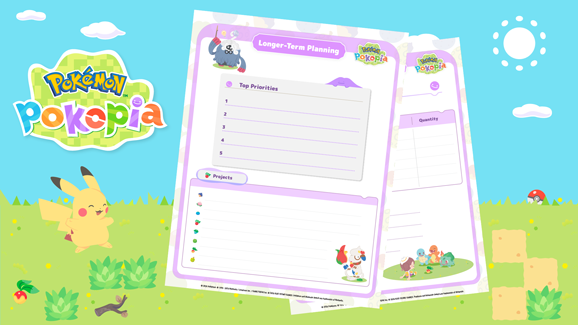
I noticed this week that the Pokémon Company has me covered, or so they say:
Interested in maximizing your Pokémon Pokopia experience? Check out our free downloadable planners to help organize your storage containers, document your adventures, and more.
I downloaded them, and I must say, the planners look cute. But do they help to keep track of what you have in storage and where? Hmm, don’t think so. Nonetheless, I thought you might like to download the planners for yourself, just because they look so cute!
Pokémon Pokopia Daily Planner
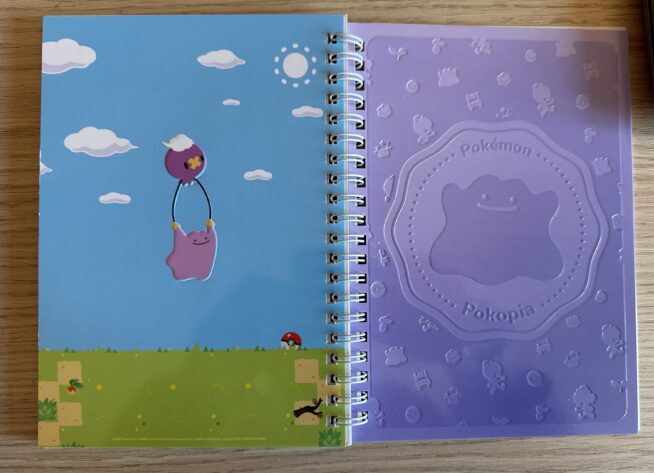
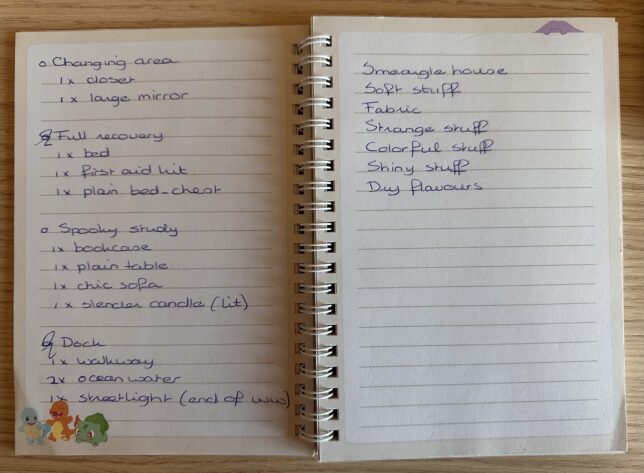
For this game, I took up with an old pastime of mine: keeping a gaming notebook. And seeing this one in the My Nintendo Store made me very keen to get going. I was able to get it for free for 500 of my platinum points, only had to pay for shipping. It was one per customer, but I see it’s sold out anyway now in the Dutch store, but you might be able to still get it in your own store.
Even better, you can also go paperless and use a companion app. I’ve tried several in the AppStore and settled on PocketDex: Guide for Pokopia. It’s of course an unofficial app, but I’ve found that I’m not buried in ads when I use it. The developer would be very happy with a tip of € 3,99 but as far as I can see it’s not mandatory.
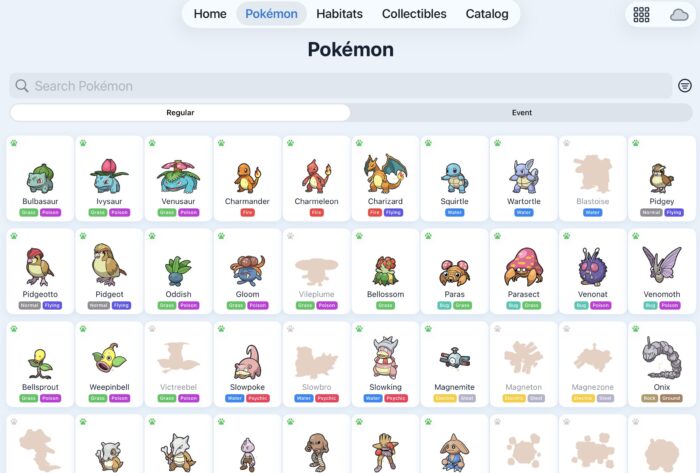
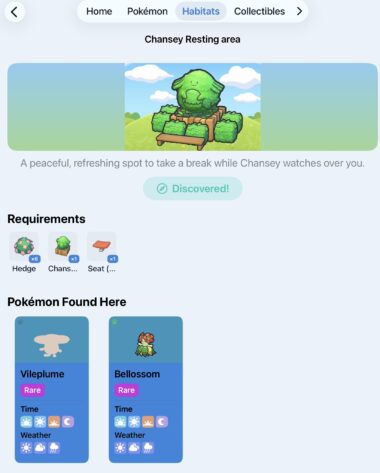
The app lets you register which Pokémon you have found in your offline areas and separately on your Cloud Island too. You can register your Habitats, after which is cross references the Pokémon you have registered and which one you can attract in that habitat. You can list Fossils, Recipes, Relics and Music CD’s too. Events are detailed, you can see which mystery gifts are still active and there is a daily checklist. I’m liking it and it’s helpful that I don’t have to look-up all info on Pokémon or Habitats in the game.
Got Any Tips?
If you are also enjoying the game I’d appreciate it if you share tips or helpful tools that you have found. After all, us gamers have to help each other out!
Do you like our content?
Support LadiesGamers as a member on Patreon!
 Or buy us a cup of coffee or tea on Ko-Fi!
