




Game: Hidden around the World
Genre: Puzzle, Adventure, Other, Lifestyle, Hidden Object
System: Nintendo Switch (Also on Steam (Windows))
Developer | Publisher: Ogre Pixel
Age Rating: US Everyone | EU 3+
Price: US $7.99 | UK £7.19 | EU € 7,99
Release Date: April 6th, 2026
Review code used, with many thanks to Nerder She Wrote.
Hidden around the World is another hidden objects game by Ogre Pixel, and just like Hidden in my Paradise, as well as looking for objects, you recreate mini scenes. There’s the added bonus of creating your own hidden object dioramas.
Will I find all the objects?
Where are the Objects Hidden around the World?
I was a little surprised not to get any guidance on how to play when I started my adventures in Hidden around the World. Luckily, having played Hidden in my Paradise, I knew what was needed, and I was pleased to have my understanding confirmed when I got to the fourth city and received the full ‘how to play’ guidance. Hopefully, this great tutorial will be moved to the first level for release!
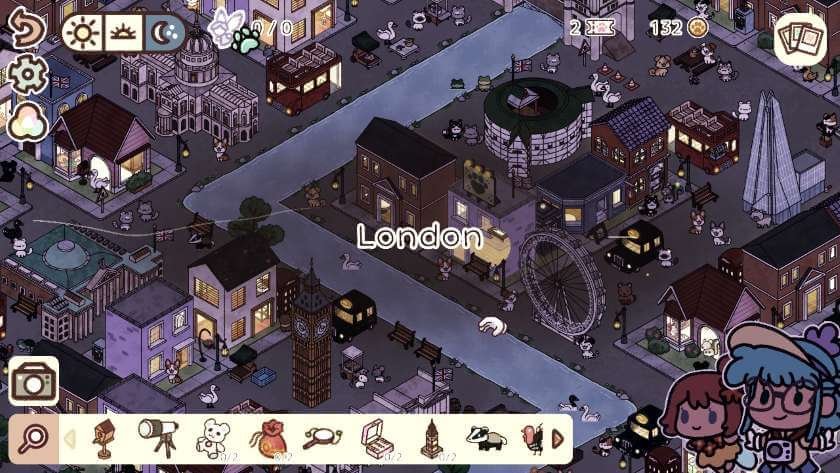
Within each cityscape, there is a row of objects at the bottom of the screen, which are hiding somewhere within the scene. Each city has a different number of objects to find, but generally it’s in the mid to high teens, sometimes with multiples of the same object. The city could be set in daylight, dusk or night, but this can easily be altered via the icons at the top. It’s also possible to add a filter to the scene, which helps to lift some of the muted colours.
There are a total of twelve cities to explore. Starting in Europe with Paris, Venice and London, then moving around the world, visiting cities such as Tokyo, Rio, New York, Cape Town and Sydney. Disappointingly, each new city is locked until you complete the previous one.
With my real-life experience of London, I thought the stylised map was reflective of the capital, with the very recognisable landmarks positioned appropriately, and the black Hackney cabs and London red buses dotted around the streets. After that, it seemed like random houses, characters, and food items had been splattered across the scene, with no acknowledgement of the unique location. It was also a shame that the objects to find weren’t specific to that city; I think this was a missed opportunity in Hidden around the World.
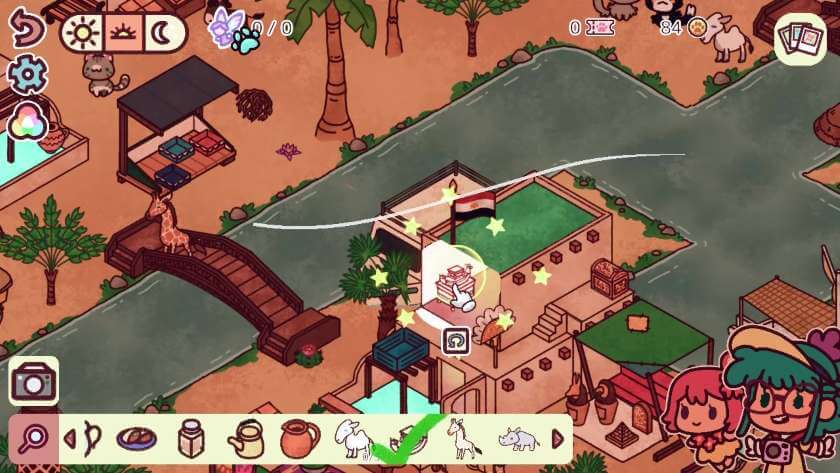
Some objects are large and easy to spot; others are small and could be hiding in the buildings or behind other objects. As you move the pointer around the screen, a circle will reveal what is normally out of sight. Annoyingly, not all of the building is revealed; quite often, the roof remained and this did make it awkward to see inside. However, one of the great things about Hidden around the World is the ability to move any of the objects in the cityscape. So if you can’t quite see what’s behind, just move it out of the way!
The help function for the hidden objects works really well, as long as it’s for a single item. For multiple items, it’s a bit hit and miss; sometimes it locates each of the multiples in turn; other times it finds the same one, regardless of how many times you request help. Once found, the object gets a green tick.
I know from Hidden in my Paradise that some objects could be sparkling, and by moving these slightly would reveal a fairy. Unfortunately, although level 2 onwards supposedly contained fairies, this part of the game did not work in the pre-release version I played.
Capturing the World
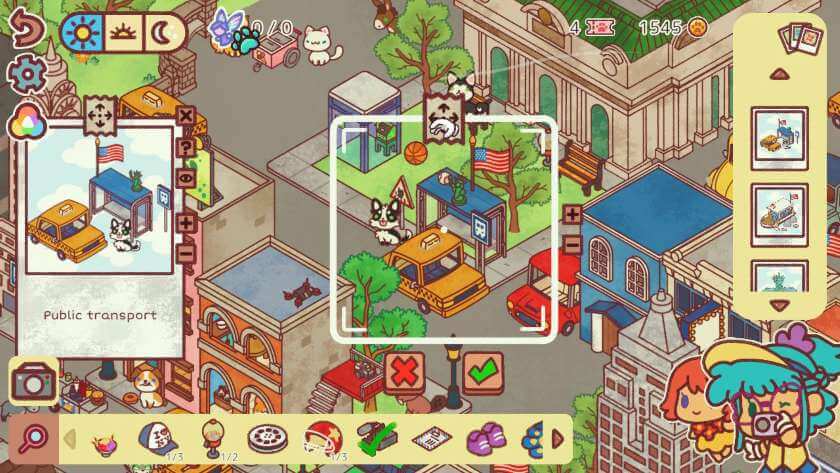
As per its predecessor, Hidden around the World contains the task of re-creating miniature scenes. Each level has five to recreate, and although it’s tempting to go for an exact match, it’s not needed. As long as you have the right items in the photo, and any stacked objects are replicated (i.e. the flag is on top of the shelter), then the match is good. It doesn’t matter if there are more objects within the scene, either.
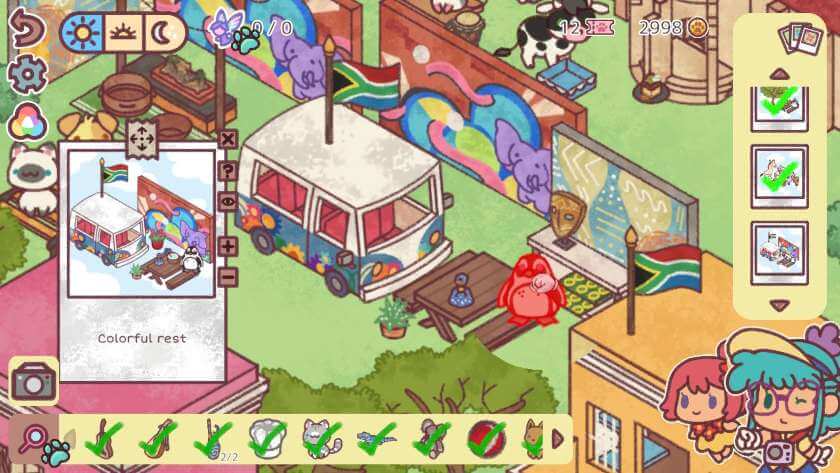
Even if you find a good starting spot with several objects already in place, you’ll still need to find more, and moving objects is very awkward. Occasionally, I’d grab the object, move it, only to accidentally release, and it would return to its original spot. Some of the objects are very small, so you have to zoom in to grab them, and then scroll even further, trying to remember which direction to go in. You’ll need to place some objects on top of others, and trying to line them up is very difficult.
All in all, not a relaxing experience, made worse by the erratic help function, which couldn’t always locate the items needed for the mini scene. The help function totally broke by the time I got to Cape Town (the eleventh city and shown above), and resulted in a constant software crash, with the need to restart the game.
Create Your Own City
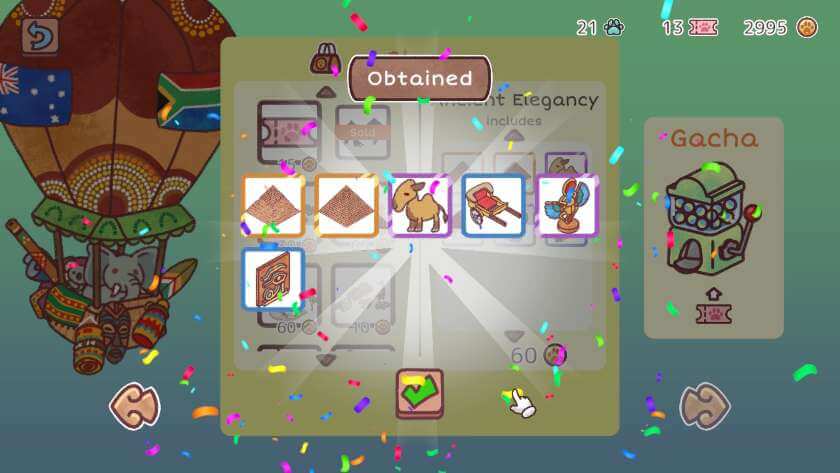
Finding objects and clicking on the animals within the scene is rewarded with coins. You might even find hidden chests for bonus coins! The coins can be used to buy collections from the shop. In addition, you are given tokens for completing tasks and can purchase extra tokens from the shop. The tokens can be used in the gacha (capsule) machines to unlock even more objects. By the time you complete the twelfth city, you should have enough coins to buy all the collections and convert the surplus to tokens to unlock everything.
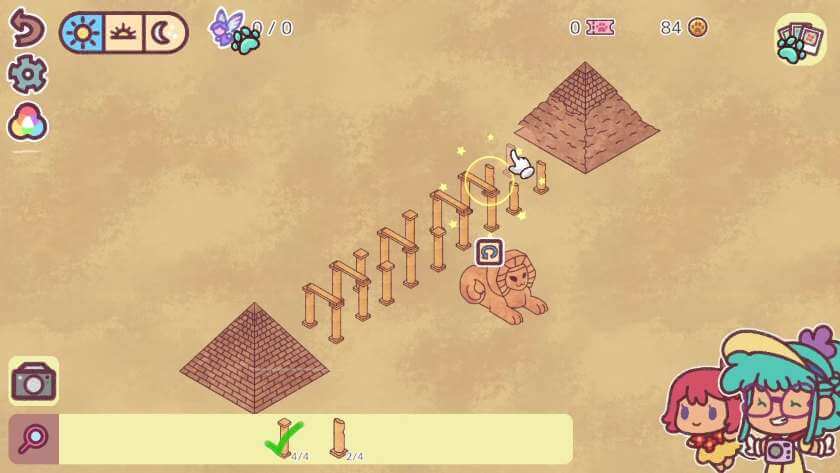
All the unlocked objects, together with the default starting ones, can be used to create your own Hidden around the World level. It’s easy to select and drag an element in the sandbox mode, with the ability to mark certain objects as those to find and design mini scenes to be recreated. The fairy option is present, but didn’t work.
Once created, the level can be uploaded, and then played and rated by the Hidden around the World community.
Gameplay
Hidden around the World plays smoothly in both docked and handheld modes, but there is no touchscreen functionality. Some of the objects are so small that it’s difficult to distinguish what they are on the Switch Lite, and this makes re-creating the miniature scenes very tricky. The main game autosaves regularly, and you are reminded on exit about saving any custom-built levels.
The review version contained numerous issues, like the tutorial starting on the fourth city; the missing fairies; the erratic nature of the mini scene and multi-object help, and the help function software crash in the eleventh city. I hope these are resolved for release, because in its current state, Hidden around the World is a frustrating and unpleasant experience.
With the numerous objects to find and complex miniature scenes to re-create, levels took 30 to 60 minutes to complete, but it depends on how good you are at finding things!
Conclusion
Even without the many problems, I didn’t enjoy my travels in Hidden around the World. So much effort and detail had been put into making the cities feel authentic, only to be ruined by generic objects cluttering the scene inappropriately. Some of the objects are just too small to be distinguishable, especially in handheld mode, so it makes the whole experience disjointed.
Final Verdict: I’m Not Sure 
Do you like our content?
Subscribe to our daily news and never miss a review!