

Game: On-Together: Virtual Co-Working
Genre: Simulation, Productivity, Casual
System: Steam (Windows)
Developer|Publisher: Giga Puff | Future Friends Games
Controller Support: No
Steam Deck: No
Price: US $9.99 | UK £8.50 | EU € 9,75
Release Date: 19 January 2026
Code provided, many thanks to Press Engine.
What is On-Together: Virtual Co-Working about?
On-Together: Virtual Co-Working is pretty much exactly what it sounds like, only better.
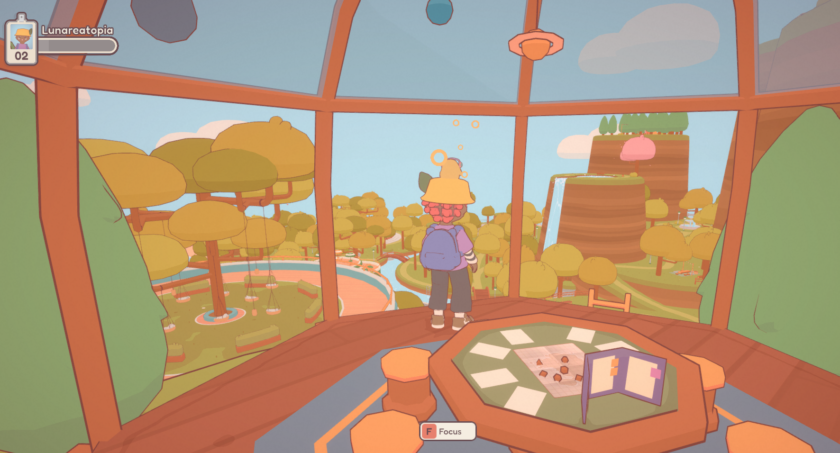
It offers all the tools you’d expect to help you focus and get your work done, but with real people alongside you. You’re invited to teleport into a small archipelago of islands that instantly feels like a vacation spot, while still being carefully designed to keep you in the “zone.” That’s the idea, at least. Let’s see how well it worked for me.
Gameplay or getting into the flow
When you first launch On-Together: Virtual Co-Working, you’ll find all the usual settings right away: language options, screen mode, camera rotation, brightness (always appreciated!), sound volume, and more.
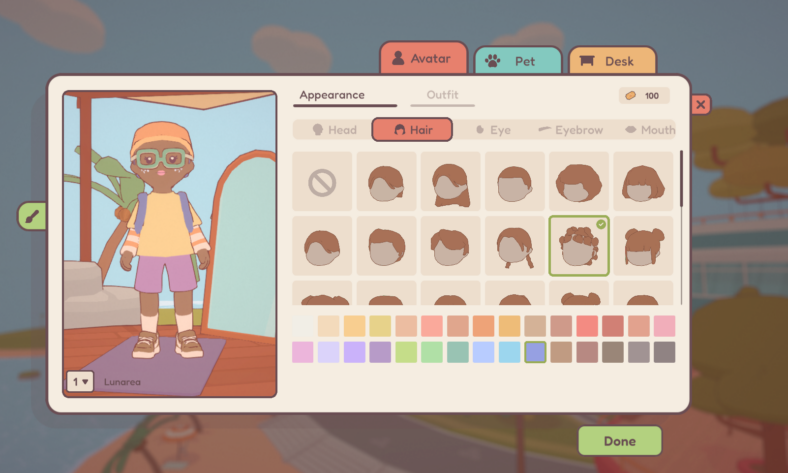
You can also customize your avatar from the start. There’s a decent range of features to choose from, although many cosmetic options are locked behind tickets. Since you only receive 100 tickets upon arrival, your initial customization is somewhat limited, but you’ll have plenty of opportunities to refine your look as you spend more time in the game.
The map itself is surprisingly large. Think of it as your playground, or rather, your workspace. Pretty much any surface you can sit on can become a “focus time” spot: benches, swings, beach chairs, bars. You name it.
The more you focus, play basketball, make music, or engage in other available activities, the more tickets you earn. Tickets act as the main currency, allowing you to upgrade your avatar and buy snacks. One snack in particular deserves a special mention: bubblegum. Chew one, and suddenly you can fly. Whether or not this helps you discover fun new places to settle down and work is something I’ll leave for you to find out.
This is also where other players naturally come into play, usually during break times. For those who want it, On-Together offers plenty of opportunities to socialize. You might randomly run into someone on the island and exchange a few words, or you can schedule study sessions together and collectively decide how long to work and when to take breaks.
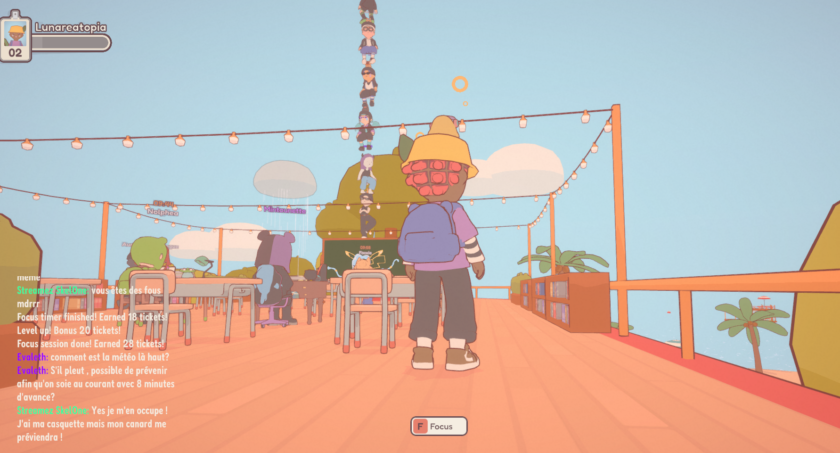
Even if you’re not especially chatty, simply seeing other players moving around you brings a sense of life to the environment. It’s subtle, but surprisingly comforting.
To help you stay organized, the game includes an in-game calendar, a to-do list, and a personal journal. These tools let you keep track of tasks while also giving you space to write down thoughts and feelings that naturally come with intense focus sessions.
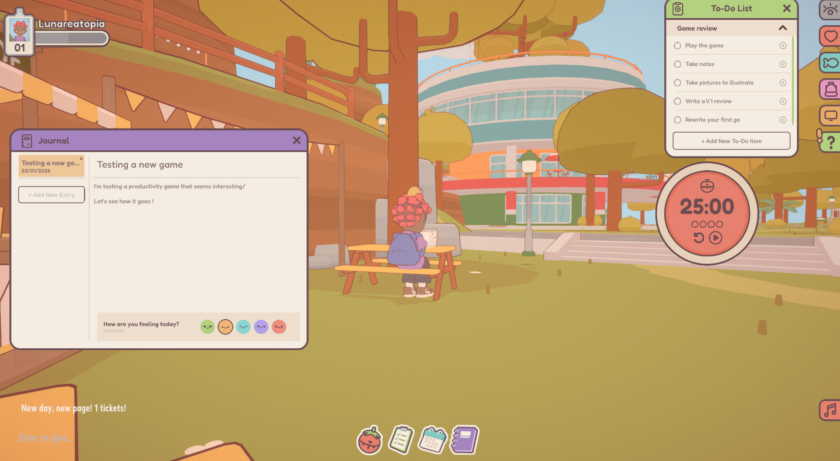
If you prefer more structure, On-Together also offers a customizable Pomodoro timer. You can adjust the duration, alarm sounds, and break times to suit your own workflow.
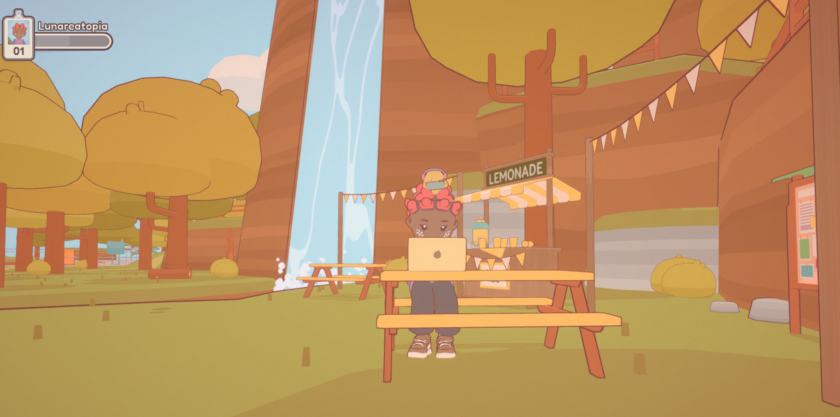
One especially cute feature appears during focus mode: you can specify the type of activity you’re working on, writing, reading, eating, drawing, and more. Once selected, your avatar mirrors that exact activity. During one of my sessions, both Luna and I were enjoying a bowl of ramen at the same time.
Honestly… how can you not find that adorable?
Art and sound of On-Together: Virtual Co-Working
Visually, On-Together: Virtual Co-Working leans heavily into colorful, pastel tones, with lots of rounded shapes and soft designs. The islands offer a variety of small activities to explore, yet the overall space never feels cluttered. Instead, it captures that peaceful balance between fullness and emptiness that nature sometimes has, and it’s genuinely soothing.
Sound design is handled with just as much care. You can choose between two main audio options, or even combine them. On one hand, there’s a customizable mix of ambient sounds like rain or crackling fire. On the other hand, the game offers instrumental playlists you can listen to while working.
Personally, I already have a few favorites, but the variety makes it easy to find something that fits whatever task you’re currently focused on.
Conclusion
I really enjoyed my time with On-Together: Virtual Co-Working. The visuals are inviting, and the overall experience creates a soft, calming atmosphere that works perfectly for studying, writing, or any activity that demands sustained focus.
I can easily see it being useful for a wide range of people, including students, freelancers, writers, and artists. As for me, I’ll definitely be tempted to use it again for both work and personal tasks.
If you try it yourself, I’d love to hear your thoughts. Did it help smooth out your work sessions?
Final verdict: I like it a lot 
Do you like our content?
Subscribe to our daily news and never miss a review!